

Description
Introducing our new lightweight WordPress plugin – View User Metadata!
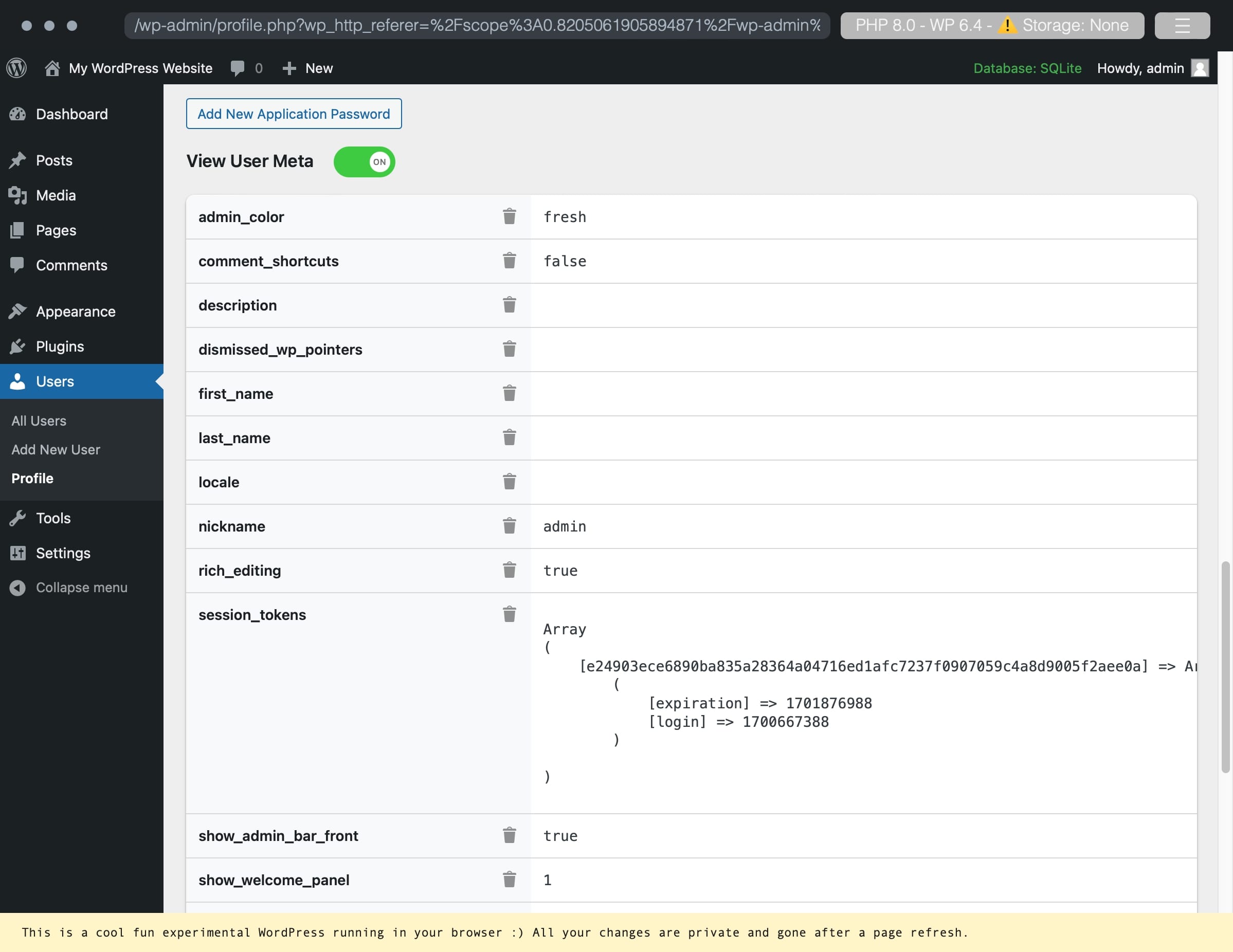
This plugin adds a simple toggle button to the user edit screen, allowing administrators to easily view metadata associated with the user they are currently viewing. Metadata includes all data attached to a user account. Administrators can also delete user meta.
This plugin is perfect for developers where metadata is important to view but doesn’t need to be displayed at all times.
Features:
– Toggle to show/hide user data
– Click-to-focus on any row
– Delete a key/value pair
– Export all metadata to CSV or JSON
– Common sensitive keys are locked against accidental deletion
– Keys that hold multiple values show every value
– Copy any key or value with one click
– Switch between formatted and raw (as stored) values
Check out our other plugins:
- 🦄 Unicorn Panel – the new web hosting control panel built for multi-server fleets; FREE!
- 🎉 Media Library File Size
- ✨ Export Single Post Page
- 🔒 Two Factor (2FA) Authentication via Email
- 🔠 Enable Turnstile (Cloudflare) for Gravity Forms
- ⭐️⭐️⭐️⭐️⭐️ Gravity Forms to FreeScout
Screenshots


Installation
Use the automatic installer via WordPress or download the plugin and:
- Upload the plugin files to the
/wp-content/plugins/view-user-metadatadirectory. - Activate the plugin through the ‘Plugins’ screen in WordPress.
- Navigate to your profile or any other users and enable the toggle for View User Metadata.
Reviews

Contributors and Developers
“View User Metadata” is open source software. The following people have contributed to this plugin.
Contributors
Translate “View User Metadata” into your language.
Interested in development?
Browse the code, check out the SVN repository, or subscribe to the development log by RSS.
Change Log
1.3
- Security: CSV export neutralizes spreadsheet formulas
- Security: you can no longer delete your own role/capabilities meta
- Fix: profile page no longer errors when a meta value is a stored object
- Fix: meta values are shown as plain text instead of rendered HTML
- Fix: keys with multiple values now show and export every value
- Fix: meta keys with special characters, including backslashes, are deleted reliably
- Fix: click-to-focus now moves between rows correctly
- Fix: show/hide toggle still works when browser storage is blocked
- NEW: filter ss88_vum_is_protected_key to lock or unlock any key
- NEW: keys from our own plugins (SS88_*) are locked
- NEW: delete confirmation names the key and how many values it holds
- NEW: empty values are labelled (empty)
- NEW: copy buttons for every key and value
- NEW: “Show raw values” toggle displays values exactly as stored in the database
- Changed: the lock now targets WordPress core user meta, including per-site keys on custom table prefixes and multisite
- Changed: other plugins’ underscore-prefixed keys are no longer locked
- Changed: your own role keys show a greyed-out lock explaining why they can’t be deleted
- Changed: objects nested in arrays show their class name and non-public properties, on screen and in exports
- Translation and accessibility improvements, including translatable plural forms
1.2.2
- Security fixes
- NEW: Export to CSV or JSON
- NEW: Common sensitive keys are now protected by a Lock by default. To delete them, click the Lock to Unlock the key/value pair.
1.2.1
- Delete button fix (pressing enter would trigger the first button)
- Localization JS fix
- Added ability to click-to-focus helping focus on a specific row
1.2
- Localization support
1.11
- Move delete icon to work across screen sizes
1.1
- Ability to delete the meta key and value pair.
1.0
- Initial release.