

Description
WORDPRESS SECURITY PLUGIN — PROTECTION WITHOUT THE COMPLEXITY
Automated bots probe WordPress logins and forms around the clock. Ultimate Security shuts that down — with two-factor authentication, brute-force lockouts, anti-spam CAPTCHA, a hidden login URL, session controls, and security maintenance tools — all from a clean dashboard you do not need to be a security expert to run.
🎥 Watch a 2-minute intro:
🛡️ Lightweight. Privacy-first. No bloat.
Why Ultimate Security?
- It just works. Sensible defaults out of the box — turn it on, you are safer in minutes.
- Built for real attacks. Stops the automated login, brute-force and spam traffic that actually hits WordPress sites.
- Zero learning curve. Plain-English settings, a Test Mode to preview rules before they go live.
- Privacy-respecting. No tracking, no data collection. Pro features are clearly labelled.
🔐 Login & Two-Factor Authentication
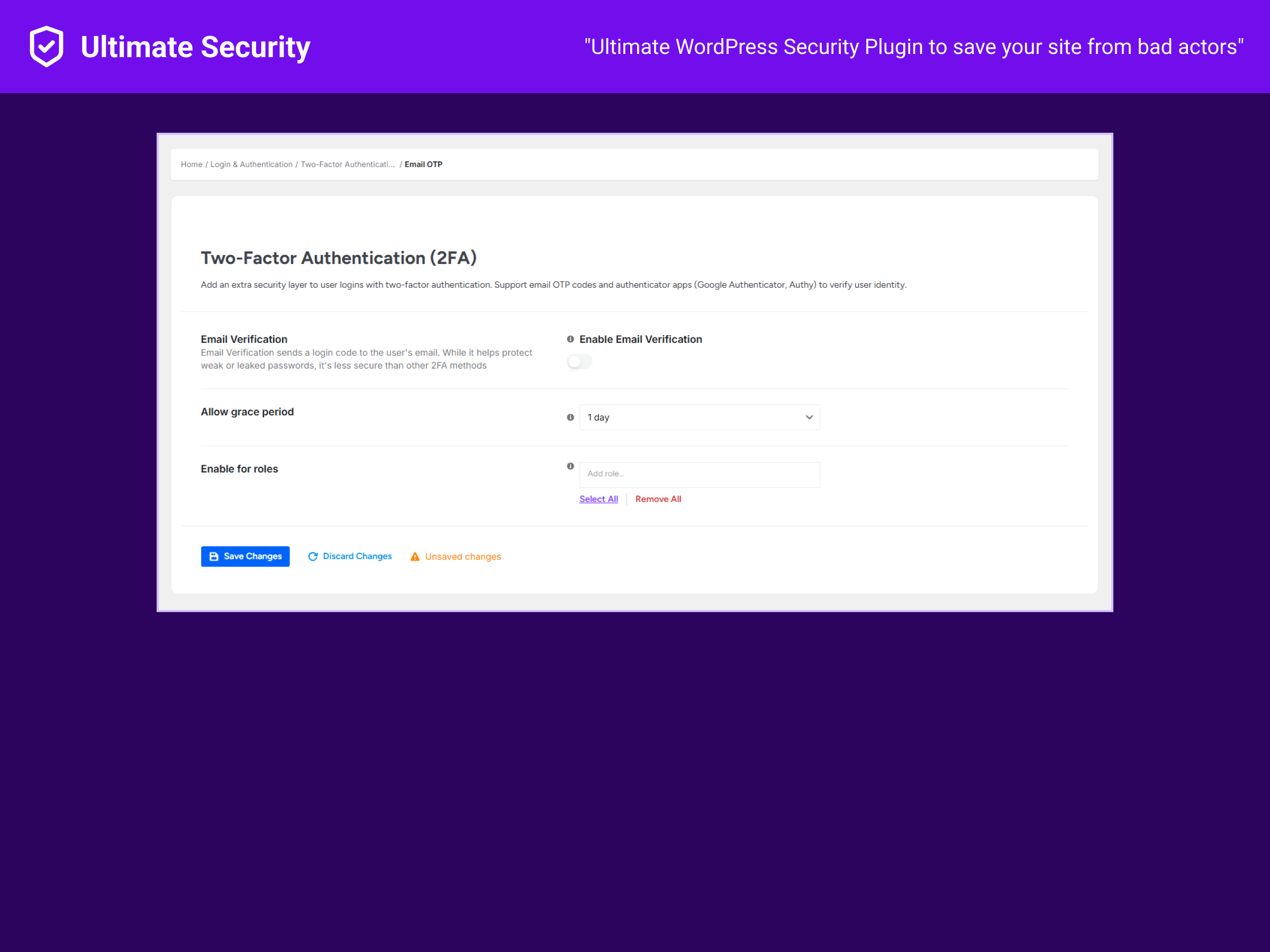
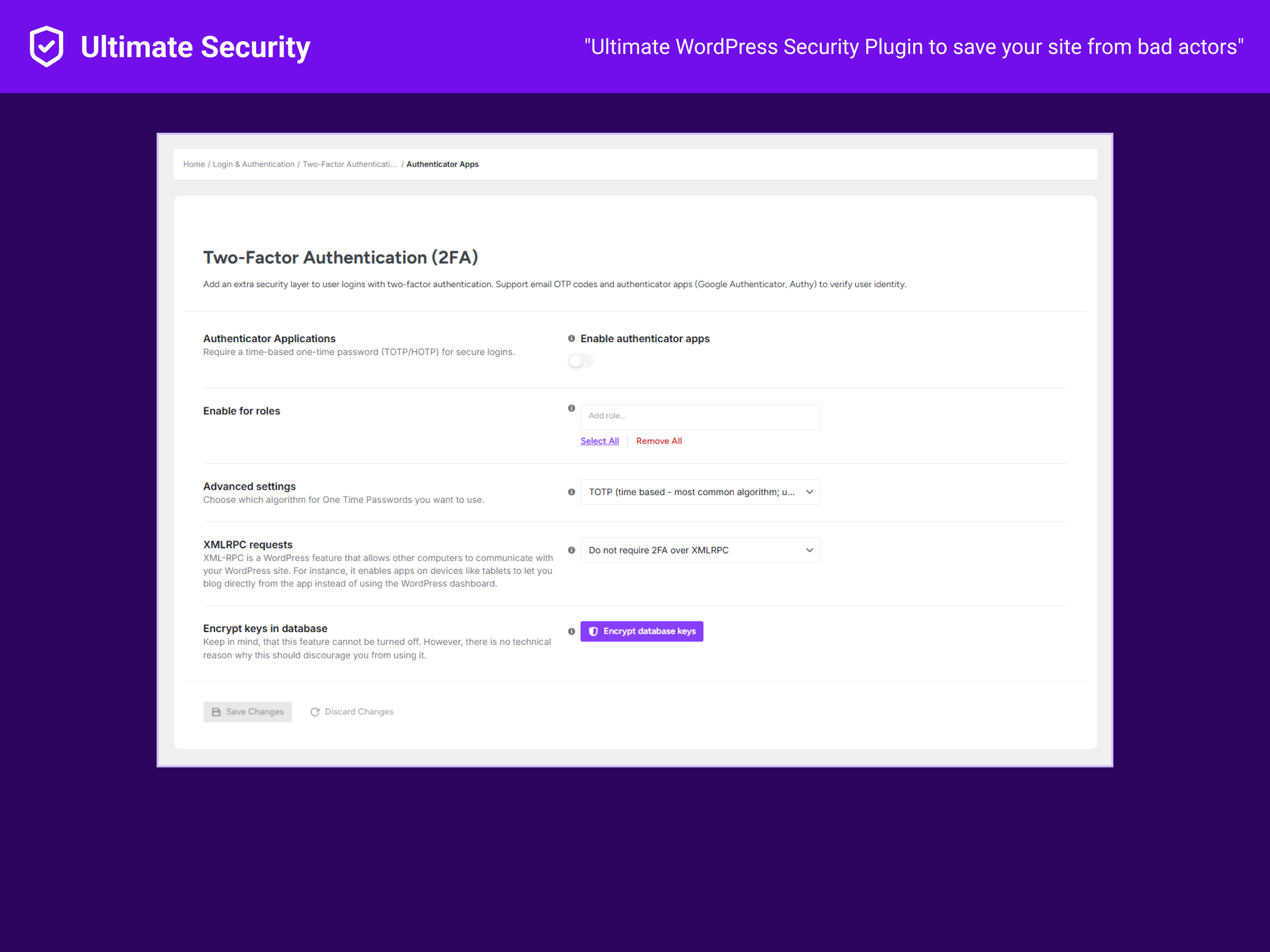
- Two-Factor Authentication (2FA) — Email one-time codes and authenticator apps via TOTP/HOTP. Setup docs · Video
- Per-user 2FA with role-based configuration options — Let users enable 2FA and configure which roles should use email or app-based 2FA.
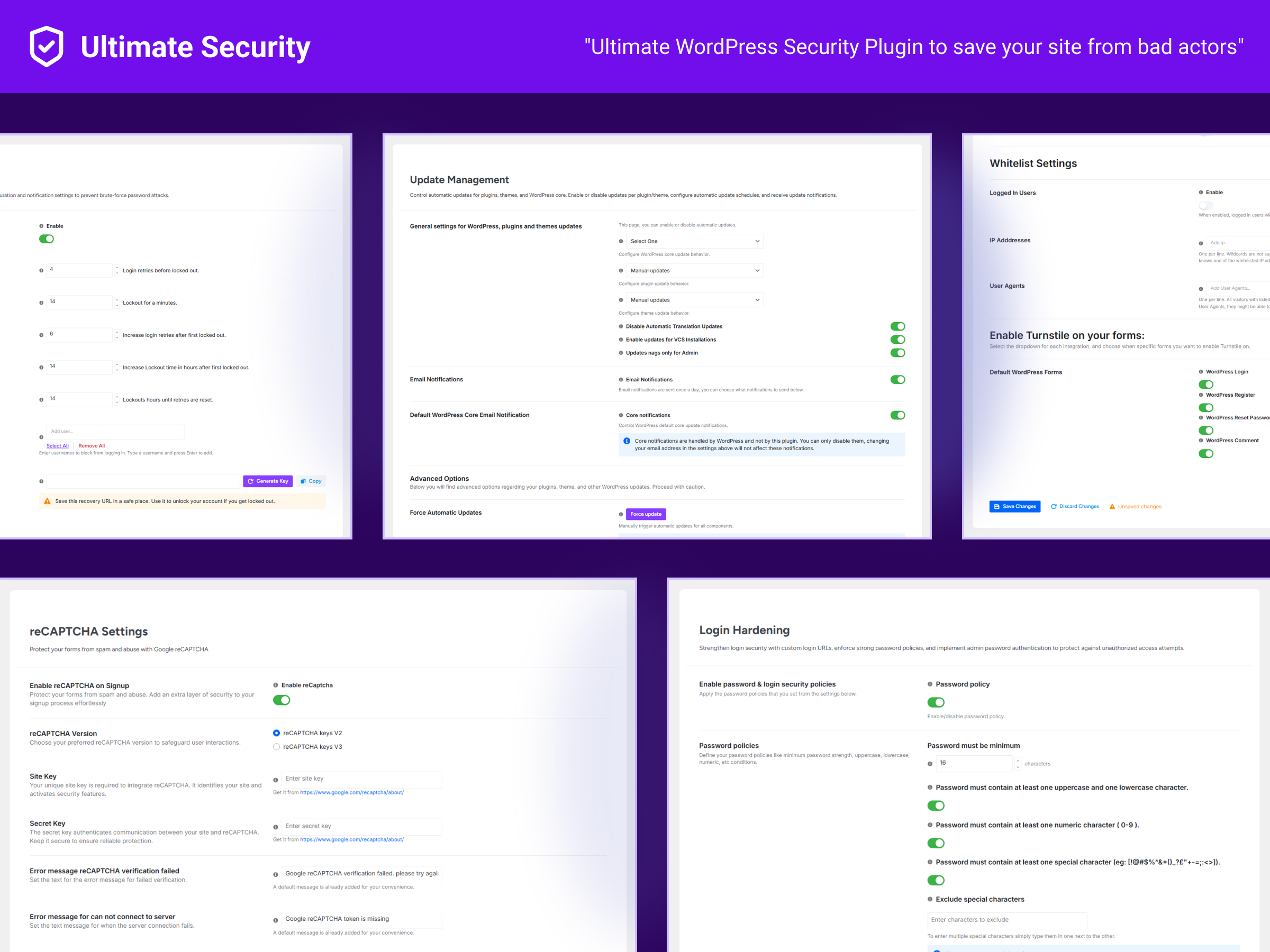
- Brute-force login lockout — Limit failed attempts, auto-lock offenders, auto-reset retries, block specific users, and keep a recovery URL for emergencies.
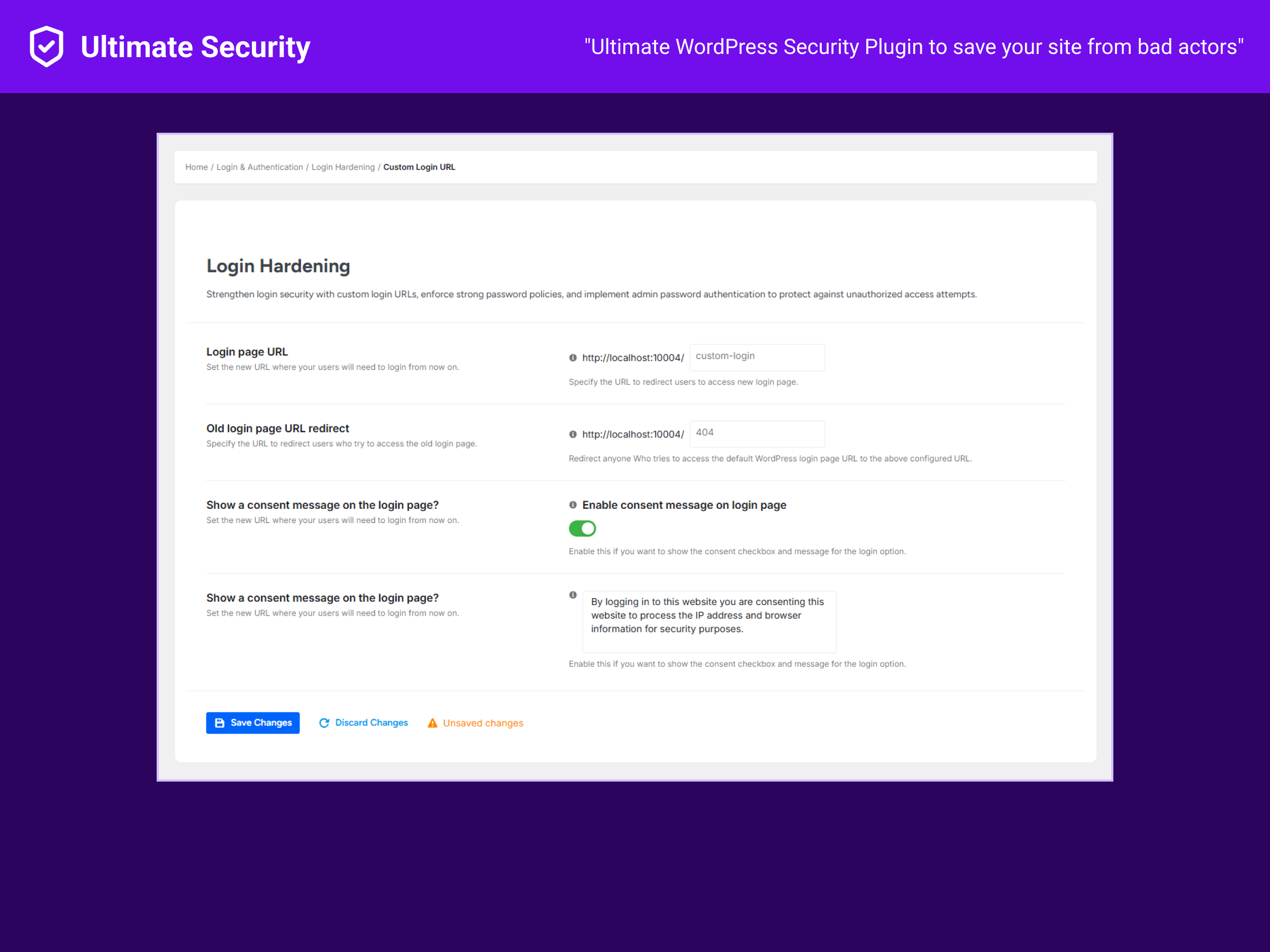
- Custom login URL — Hide
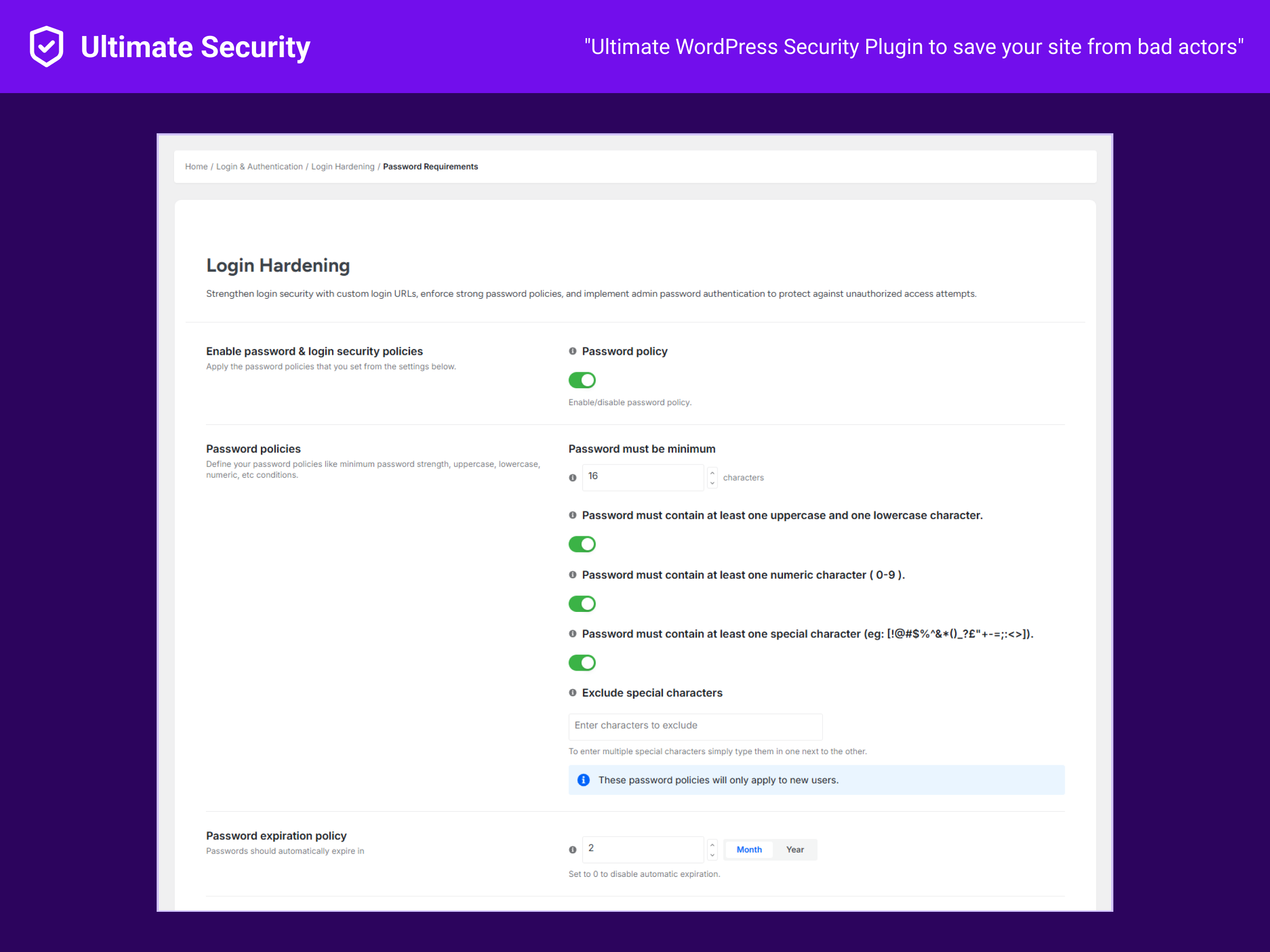
wp-admin/wp-login.phpbehind a secret address so bots cannot find it. - Strong password policies — Enforce length, complexity, expiry and password history.
- Session control — Limit concurrent logins per user and harden auth cookies.
🤖 Bot & Brute-Force Protection
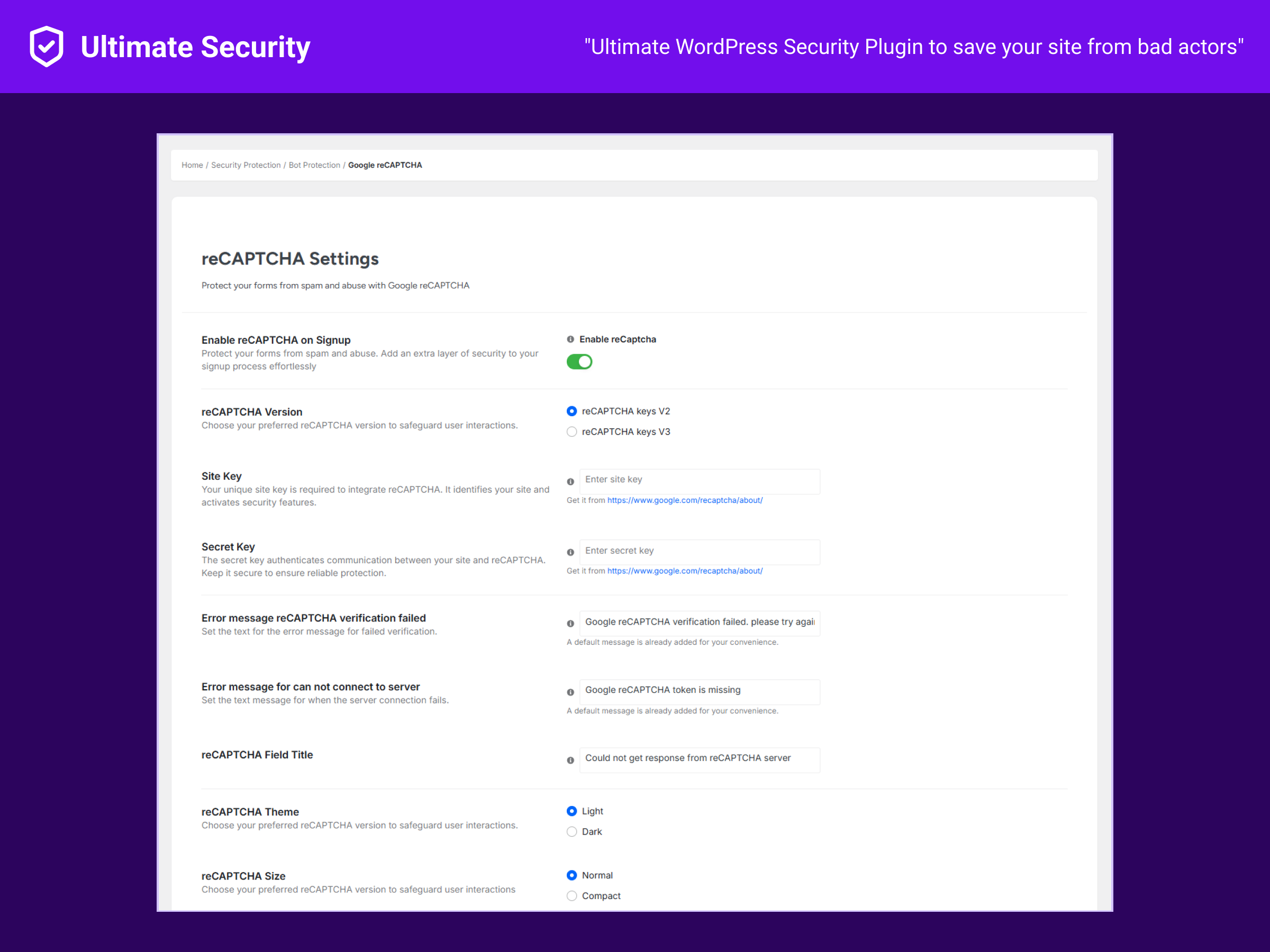
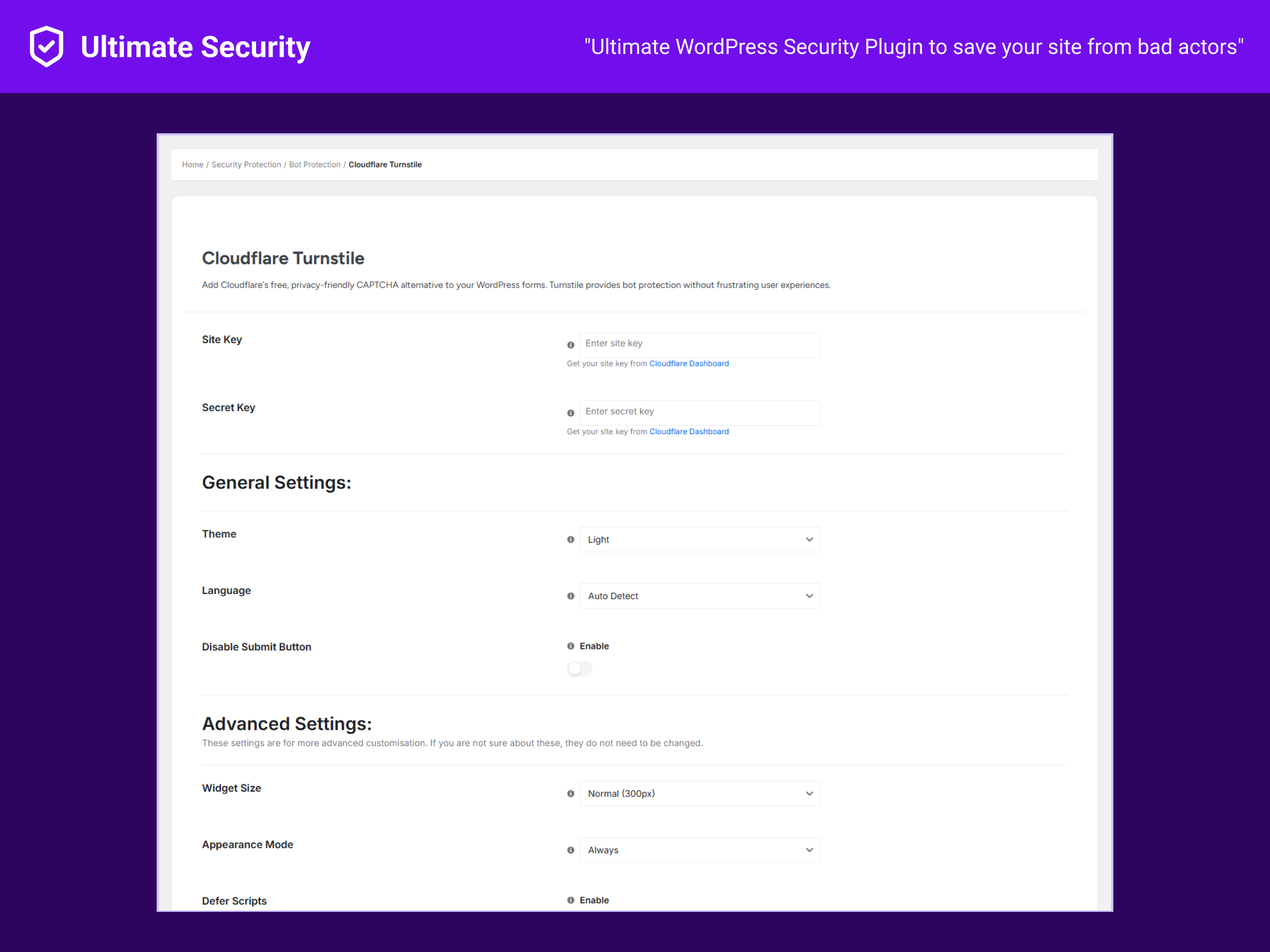
- Anti-spam CAPTCHA — Google reCAPTCHA v2/v3 and Cloudflare Turnstile.
- Form coverage — Protect WordPress login, registration and lost-password forms; Turnstile also supports comment forms; WooCommerce login/register forms are supported when enabled.
- No-conflict mode — Plays nicely alongside other CAPTCHA setups.
🧱 Security Maintenance & Controls
- Rotate WordPress security keys / salts on demand.
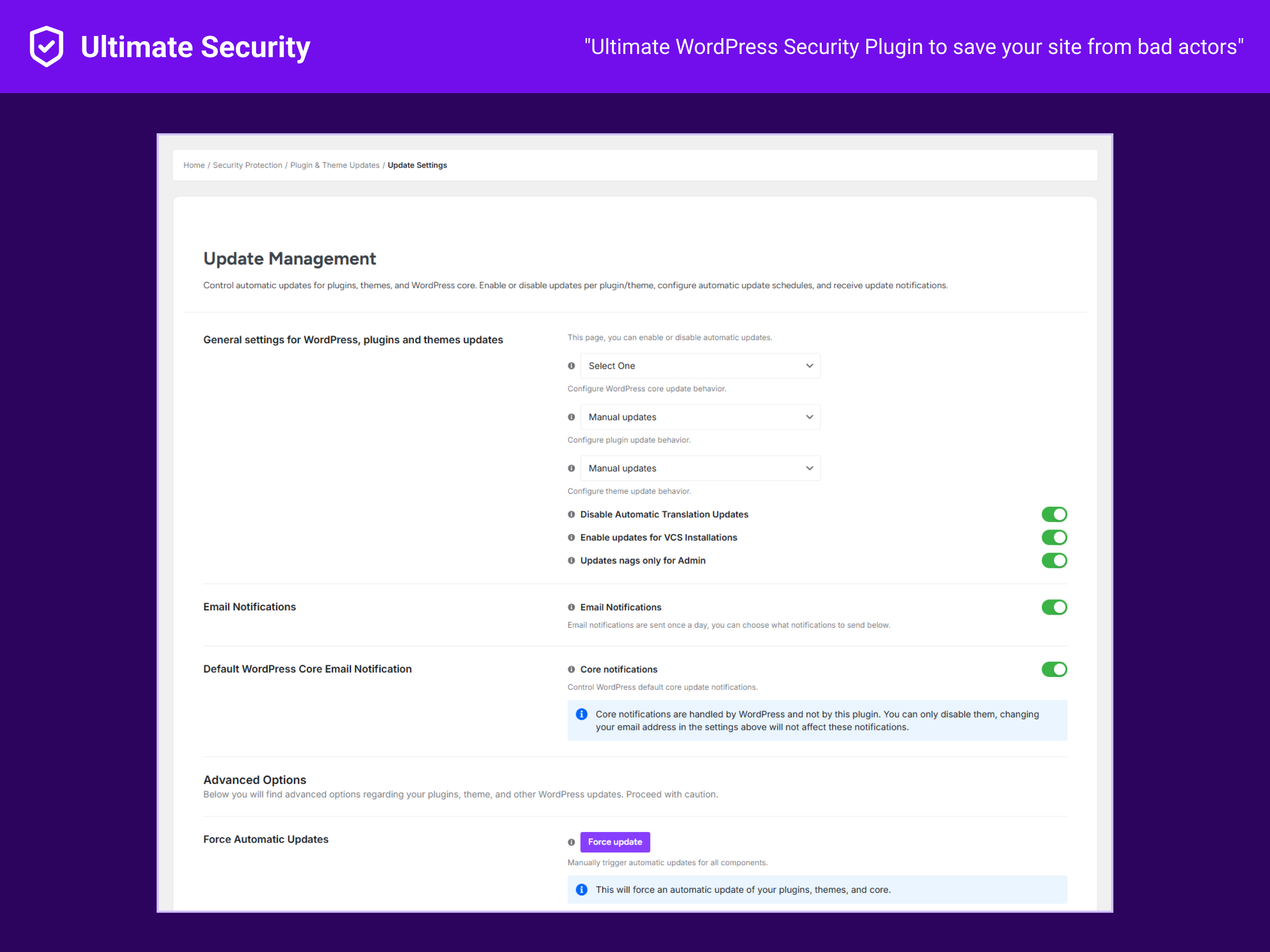
- Use the Update Manager to control WordPress core, plugin and theme update behavior.
- Connect Cloudflare and deploy configurable WAF rule groups from the dashboard.
- Review a basic Security Score with prioritized security checks.
- Advanced hardening toggles, API privacy filtering and scheduled salt rotation are available in Pro.
📊 Monitoring & Tools
- Login Activity snapshot — Review recent successful and failed login activity from the dashboard.
- Basic Security Score — See a scored security posture based on enabled protections.
- Site Health snapshot — WordPress/PHP versions, memory, active plugins and theme at a glance.
- Test Mode — Simulate security rules and review what would have been blocked before enforcing.
- Settings backup & restore — Export/import your configuration as JSON for migrations or disaster recovery.
🛠️ Recommended setups by use case
Different sites face different threats. Start with the profile that matches you, then layer on more from the documentation.
- Solo blogger / personal site — Enable Email 2FA on the admin account, set a 5-attempt login lockout with a 15-minute cooldown, set a custom login URL, and add Cloudflare Turnstile to the comment form.
- Small agency / multi-author site — Require authenticator-app 2FA per role for editor and above, enforce password length + history, cap concurrent logins per user, and enable Test Mode before tightening rules.
- WooCommerce store — Add reCAPTCHA or Turnstile to login, registration and lost-password forms, set a custom login URL, enable brute-force lockout, and review Site Health weekly.
- Membership / community site — Per-user 2FA enabled site-wide, strong password policy, session limits to block account sharing, and CAPTCHA on registration to keep bot signups out.
Each setup uses only free features. See the full setup guides for step-by-step instructions.
📖 Security terms in plain English
New to WordPress security? Here is what the jargon means and why each one matters.
- Two-Factor Authentication (2FA) — A second proof of identity (a one-time code) on top of your password, so a stolen password alone cannot log in.
- Brute force — Automated tools that guess thousands of password combinations against your login form; lockouts cut them off after a few failures.
- CAPTCHA — A small puzzle or invisible check that confirms a real human is filling out a form, blocking most spam bots.
- Custom login URL — Moving your login page from the well-known
/wp-login.phpto a secret path so automated scanners cannot find it. - Hardening — Turning off WordPress features attackers abuse but most sites do not need (file editor, XML-RPC, user enumeration, directory browsing).
- Salt rotation — Replacing the random secret keys in
wp-config.phpto invalidate stolen sessions and force re-login everywhere. - Session control — Limiting how many places one account can be logged in at once and hardening the auth cookie.
- Test Mode — Previewing which requests a new rule would have blocked, before the rule starts blocking anything for real.
Each term links to deeper reading in the documentation.
📚 Learn more
- 🌐 Website — features, articles and more.
- 📘 Documentation — setup guides, troubleshooting, and how-tos.
- 🎥 YouTube channel — video walkthroughs and tutorials.
🎯 Featured guides
Short, focused reads that get most sites secure in under an hour. All link into the documentation.
- Set up Email 2FA for your admin account — the fastest single thing you can do to block account takeover.
- Add an authenticator app (TOTP/HOTP) for stronger 2FA — Google Authenticator, Authy, Microsoft Authenticator.
- Pick a safe custom login URL — what to choose, what to avoid, how to recover if you forget it.
- Add reCAPTCHA or Cloudflare Turnstile to your forms — including WooCommerce login and registration.
- Tune brute-force lockout without locking yourself out — sane attempt limits, lockout duration, allowlists.
- Rotate WordPress security keys (salts) safely — when to rotate, what it logs everyone out of, and how to schedule it.
🔗 Follow Ultimate Security
- Website: https://wpultimatesecurity.com/
- Documentation: https://docs.wpultimatesecurity.com/
- Blog: https://wpultimatesecurity.com/blogs/
- X (Twitter): https://x.com/WPUSecurity
- Facebook: https://facebook.com/wpultimatesecurity/
- YouTube: https://youtube.com/@wpultimatesecurity/
- Instagram: https://instagram.com/wpultimatesecurity/
- LinkedIn: https://linkedin.com/company/wpultimatesecurity/
- Threads: https://threads.com/@wpultimatesecurity/
External Services
This plugin connects to the following third-party services, and only when you explicitly enable the related feature:
Google reCAPTCHA
- When: reCAPTCHA CAPTCHA protection is enabled.
- Data sent: the visitor’s reCAPTCHA response token and your site secret key.
- Endpoint: https://www.google.com/recaptcha/api/siteverify
- Terms: https://policies.google.com/terms — Privacy: https://policies.google.com/privacy
Cloudflare Turnstile
- When: Cloudflare Turnstile CAPTCHA protection is enabled.
- Data sent: the visitor’s Turnstile response token and your site secret key.
- Endpoint: https://challenges.cloudflare.com/turnstile/v0/siteverify
- Terms: https://www.cloudflare.com/website-terms/ — Privacy: https://www.cloudflare.com/privacypolicy/
WordPress.org Secret-Key (Salt) API
- When: you request rotation of WordPress security keys/salts.
- Data sent: a request for randomly generated salt strings (no site or user data).
- Endpoint: https://api.wordpress.org/secret-key/1.1/salt/
- Privacy: https://wordpress.org/about/privacy/
WordPress.org Core Version Check
- When: the Update Manager checks for available WordPress core updates.
- Data sent: a standard WordPress core version-check request (no user data).
- Endpoint: https://api.wordpress.org/core/version-check/1.7/
- Privacy: https://wordpress.org/about/privacy/
Cloudflare API
- When: you connect Cloudflare or deploy/view WAF rules.
- Data sent: Cloudflare credentials/token, selected zone/rule data, and Cloudflare API requests needed for verification, deployment and analytics.
- Endpoint: https://api.cloudflare.com/client/v4/
- Terms: https://www.cloudflare.com/website-terms/ — Privacy: https://www.cloudflare.com/privacypolicy/
Screenshots
Installation
Requirements: WordPress 5.8+ and PHP 8.1+. HTTPS is strongly recommended for 2FA and secure sessions.
📘 Full setup walkthrough: Documentation · Video tutorials
- In WordPress, go to Plugins Add New and search for “WPUltimateSecurity”.
- Click Install Now, then Activate.
- Open the Ultimate Security menu and customize it to your needs.
Quick Start
Recommended first 5 minutes
- Enable 2FA for all administrator accounts.
- Set login attempt limits and a lockout duration.
- Add CAPTCHA (reCAPTCHA or Cloudflare Turnstile) to the login, registration and comment forms.
- Set a custom login URL and save it somewhere safe.
- Review the Security Score, Site Health and Test Mode before enabling stricter rules.
FAQ
-
Will this slow down my site?
-
It is built to stay lightweight — security checks run on login and form submission, not on every page view.
-
Do I need any technical or coding knowledge?
-
No. Defaults are safe out of the box and every setting is in plain English with a guided setup flow.
-
I enabled 2FA / a custom login URL and locked myself out. How do I get back in?
-
Disable the plugin to restore default login: via FTP/SFTP rename the folder
/wp-content/plugins/ultimate-security, or over SSH/WP-CLI runwp plugin deactivate ultimate-security. Then log in and reconfigure. -
Does it work with WooCommerce?
-
CAPTCHA and login protection cover WooCommerce login and registration forms where enabled. Checkout CAPTCHA is not currently part of the verified free feature set.
-
Does it work on WordPress Multisite?
-
Yes, it runs on Multisite. Network-wide behaviour depends on how you configure it per site.
-
Does the custom login URL work with caching / CDNs?
-
Yes. Exclude the login path from full-page caching (most caching plugins do this for login/admin automatically) so the secret URL is never served from cache.
-
Will it conflict with other security or CAPTCHA plugins?
-
It can if two plugins do the same job. Pick one plugin per function (one 2FA, one CAPTCHA, one login limiter) and disable the overlapping feature in the other.
-
Is my data private? Does the plugin track me or phone home?
-
No telemetry, no tracking, no usage data collection. It only contacts third-party services you explicitly enable (see External Services below).
-
Is it GDPR-friendly?
-
Yes. The plugin is self-hosted and stores its data in your own database. The only outbound calls are the optional services you turn on (reCAPTCHA, Turnstile, WordPress.org salt API).
-
What happens to my data when I uninstall?
-
You control whether plugin data is removed on uninstall via the plugin’s settings.
-
What is the difference between Free and Pro?
-
Free covers core protection: Email/App 2FA, brute-force lockout, CAPTCHA, custom login URL, password policies, session limits, manual salt rotation, update controls, basic Security Score, Cloudflare WAF rules, Site Health, Test Mode and backup/restore. Pro adds will add more advanced security features once it is released.
-
How do I get support?
-
Use the plugin support forum on WordPress.org, or visit https://www.wpultimatesecurity.com.
Reviews
There are no reviews for this plugin.
Contributors and Developers
“Ultimate Security – Login Protection, 2FA, Anti-Spam CAPTCHA, Brute-Force & Security Tools” is open source software. The following people have contributed to this plugin.
Contributors
Interested in development?
Browse the code, check out the SVN repository, or subscribe to the development log by RSS.
Change Log
1.0.21
- New: WordPress Salt keys rotation options. Now you can schedule, skip and more when rotating keys.
- New: Now you can see the reCaptcha Logs directly from the plugin’s setting page.
- Improvement: Both reCaptcha and Cloudflare Turnstile follow a similar settings structure for consistency.
- Fix: Cloudflare Turnstile and reCAPTCHA whitelist option was not working properly.
1.0.20
- New: Improved Session Management settings including concurrent login limits, session cookie hardening and more,
- New: Cloudflare Turnstile and reCAPTCHA CAPTCHA verifcation when applying their respective keys.
- Improvement: Cloudflare WAF rules function improvement.
- Improvement: Code optimization and performance improvements.
1.0.19
- Fix: 2FA User role was not working properly.
- Fix: Login activity dashboard modal was showing wrong agent.
- Improvement: Better user friendly Server Protection Card Design
- Improvement: Code cleanup and optimization.
1.0.18
- New: One-click Cloudflare WAF rules apply
- New: New Modal for Login activity with detailed information.
- Improvement: Code cleanup and optimization
- Fix: Login redirected URL was showing exisiting login for password reset
1.0.17
- Fix: Minor bug fixes and stability improvements
- Improvement: Code cleanup and optimization
1.0.16
- Improvement: Code improvements to the ovearll plugin making it snappier.
1.0.15
- Improvement: Conflict management between applied settings.
- Improvement: UI improvements to existing settings pages. Making it more intuitive to use.
- Fix: Multiple bug fixes to dashboard. You should get more accurate results now.
- Fix: New deactivation URL was not saving after deactiviting-activating plugin.
1.0.14
- Fix: Email 2FA codes were not being sent properly
- Fix: 2FA code page flickering effect after login
1.0.13
- New: Completely redesigned user interface for better usability
1.0.12
- New: Security Score meter to track your site’s security level
- Improvement: Enhanced modal design for better UI/UX
1.0.11
- Fix: Minor UI bug fixes
1.0.10
- Security: Removed unauthenticated AJAX actions
- Security: REST routes now require admin permission
1.0.9
- Fix: Dashboard emergency deactivation URL display issue
1.0.8
- Improvement: Human-readable values in activity log
- Improvement: Reduced plugin size with optimized code
- Fix: 2FA reset issue for users
- Fix: Password policy not applying to new users
1.0.7
- New: Activity Log feature
- New: Improved dashboard design
- Fix: Nonce validation issues
- Fix: Turnstile not showing on comment forms
1.0.6
- Fix: Custom login setup issues
- Fix: Email 2FA asking for OTP twice
- Fix: Feedback form email delivery
- Improvement: Reorganized menu navigation
- Improvement: Performance optimizations
1.0.5
- Fix: Request logs page display issue
- Fix: URL Guard SQL query display
- Improvement: Performance optimizations
1.0.4
- Redesigned settings page interface