

Description
Post Export Import with Media is a simple yet powerful WordPress plugin that helps you securely transfer posts, pages, media, widgets, menus, themes, plugins & settings along with their media files between WordPress sites. Unlike the default exporter, this plugin ensures that images and attachments are included, so you don’t end up with broken links or missing media.
Whether you’re moving to a new host, creating staging sites, or backing up your content, this plugin handles everything with professional-grade reliability, user-friendly interface and powerful built-in Batch Processing for high-performance transfers all designed for simplicity and control.
✨ Key Features
- Export and import posts with all attached media files, metadata, categories, tags, and custom fields
- Automatic media file detection and download during import
- Real-time progress tracking for smooth migration
- Smart image handling – reuses existing media, downloads missing files
- Support for featured images and inline content images
- Enable WPML multilingual language support
- Selective Export & Import
- Export specific posts or pages instead of entire content
- 🆕 Export content by date range
- Filter posts using custom From and To dates before export
- Preview and choose content before importing
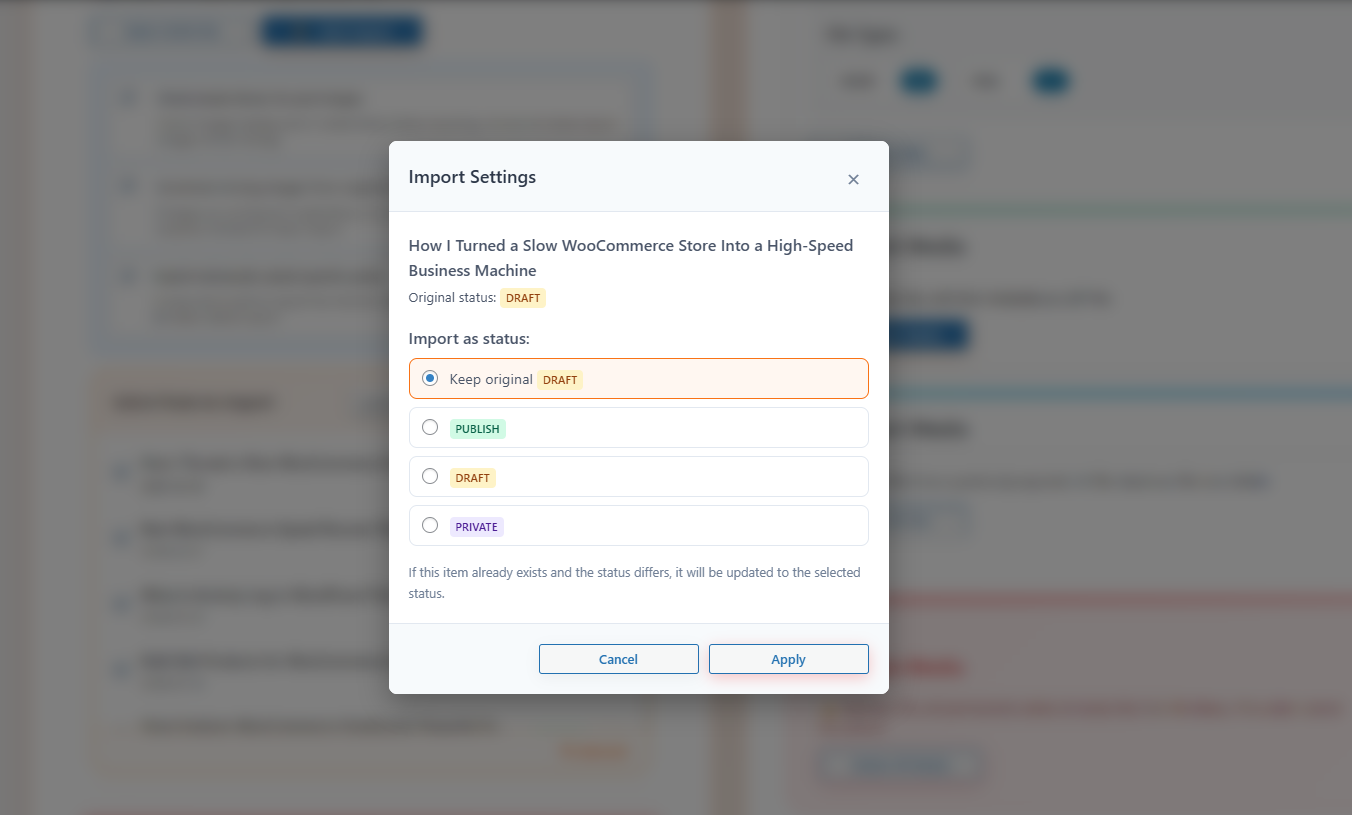
- Set status before import (Public, Private, Draft)
- Bulk delete functionality with confirmation dialogs
- 🆕 CPT & ACF Export/Import
- Export Custom Post Types with all associated posts
- Includes ACF fields, taxonomies, and media
- Built-in support for exporting and importing custom ACF meta fields
- Secure data handling to prevent errors or data loss
- Lightweight and beginner-friendly interface
- Works for bloggers, developers, and site administrators
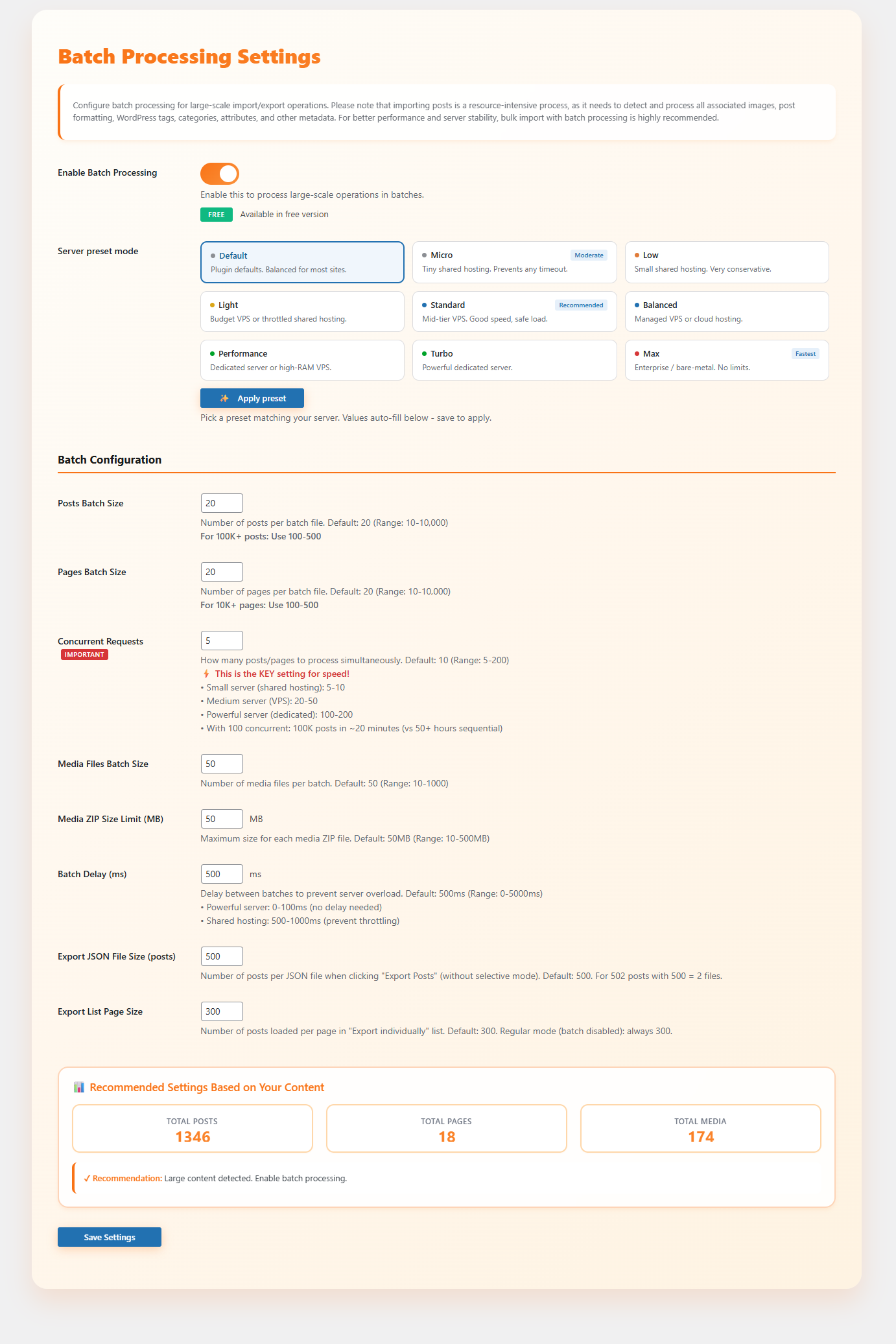
- Batch Processing Settings (Optimized for large-scale websites)
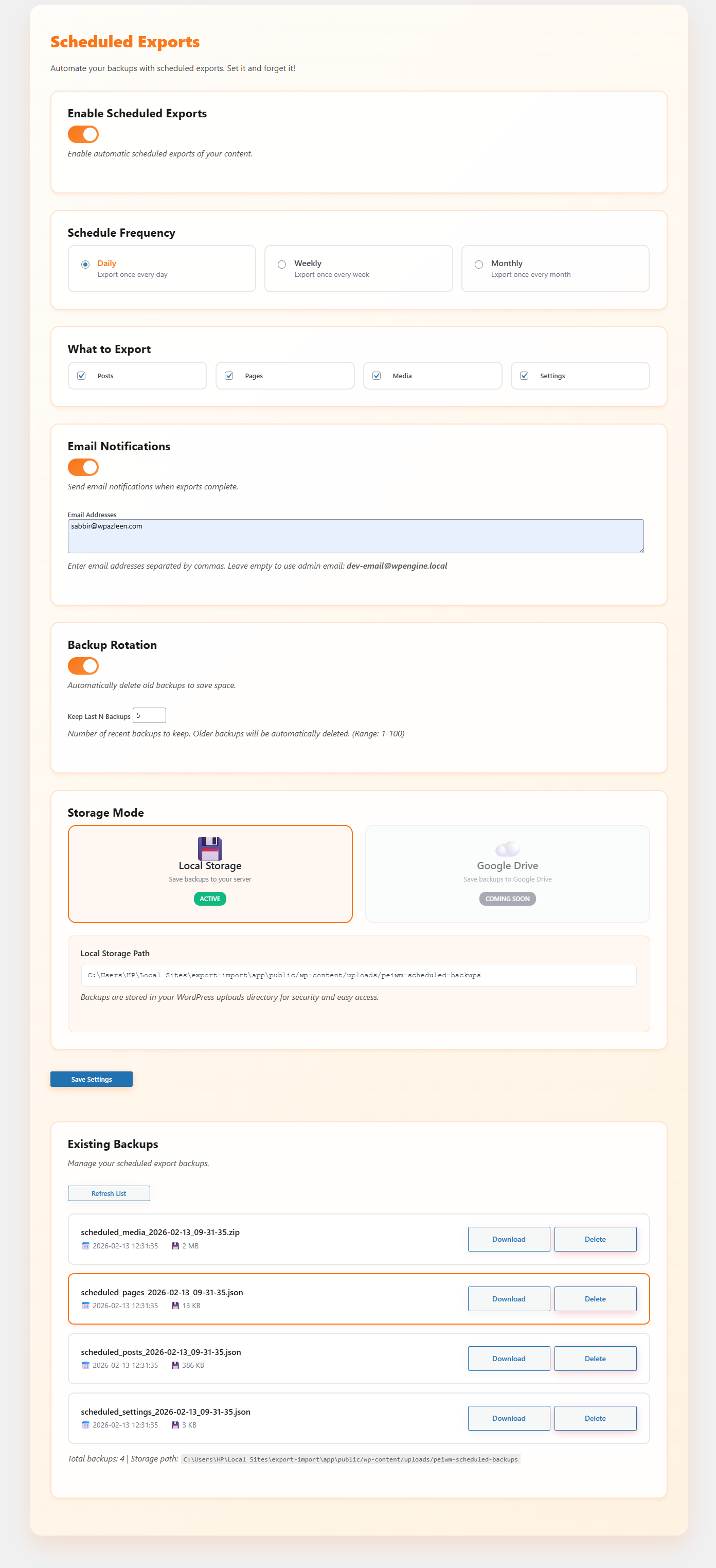
- Scheduled Exports (Automated Backups)
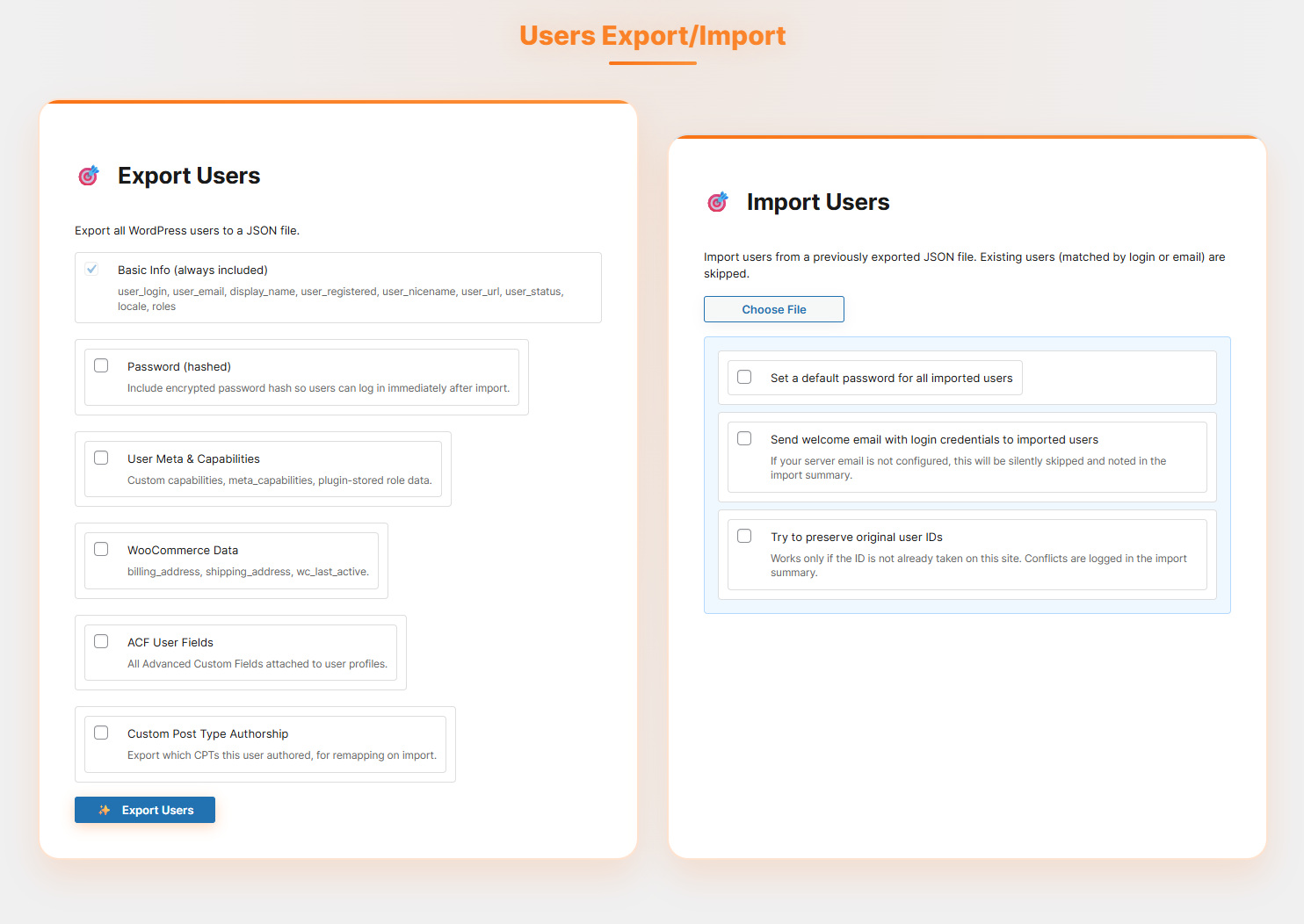
- 🆕 Users Export/Import
- Smart author mapping (match by username or email instead of ID)
- Assign posts to current admin user
- Automatically create missing users
- Export user data (login, email, display name, roles, etc.)
- Includes hashed passwords for instant login after import
- Supports user meta, capabilities, and plugin role data
- WooCommerce user data (billing, shipping, last active)
- ACF user fields support
- CPT authorship mapping for accurate reassignment
- Import options:
- Set default password for all imported users
- Send welcome email with login credentials (if email is configured)
- Try to preserve original user IDs (conflicts logged)
Pages Export/Import
- Complete page hierarchy preservation
- Template assignments and page metadata
- Featured images and content images handling
- Parent-child page relationships maintained
- Supports selective export/import for pages
- Custom page attributes and settings
CPT & ACF Export/Import
- Export Custom Post Types with all associated posts
- Full ACF (Advanced Custom Fields) support including field groups and values
- Export and import custom ACF meta fields seamlessly
- Includes associated taxonomies and terms
- Media files linked to CPT content are fully handled
- Maintains relationships between posts, fields, and taxonomies
- Supports selective export/import for specific CPTs
Users Export/Import
- Export core user data (login, email, display name, roles, registration info)
- Preserve access with hashed passwords on import
- Handle user meta, capabilities, and plugin-defined role data
- Includes WooCommerce customer details (billing, shipping, activity)
- Supports ACF fields attached to user profiles
- Maintains authorship mapping across Custom Post Types
- Auto-create users when missing during import
- Flexible import controls:
- Map authors by username or email
- Assign content to current admin if needed
- Set a global password for imported users
- Optionally send welcome emails (if configured)
- Attempt to retain original user IDs (logs conflicts)
WordPress Settings Backup
- 7 settings categories: General, Writing, Reading, Discussion, Media, Permalinks, Privacy
- Site icon export/import with URL information
- Selective import – choose which settings to import
- Detailed import logs showing success/failure for each setting
- Handles deprecated WordPress options automatically
Widgets & Navigation Menus
- Complete widget configuration export/import
- Widget positions and sidebar assignments
- Navigation menu structure with all items
- Menu locations and theme assignments
- Menu item hierarchy and custom properties
- Support for all widget types including custom HTML, media widgets
Themes & Plugins Backup
- Export active theme, all themes, or selected themes
- Export active plugins, all plugins, or selected plugins
- ZIP file creation with proper directory structure
- Import with replace existing or keep both options
- Automatic theme/plugin activation after import
Advanced Admin Features
- Admin Download Buttons – Add download buttons to WordPress themes.php and plugins.php pages
- Media Statistics – Comprehensive media library analysis with file types, sizes, and usage
- System Configuration Test – Check server capabilities and requirements
- Plugin Recommendations – Curated list of useful WordPress plugins
🎯 Perfect For
- Web Developers – Quickly clone sites for development and testing
- Site Migrations – Move WordPress sites between hosts seamlessly
- Backup Solutions – Create complete site backups including media
- Staging Sites – Duplicate production sites for safe testing
- Client Handoffs – Package complete sites for client delivery
- Multi-site Management – Sync content between multiple WordPress installations
🔧 Technical Excellence
- Security First – All operations use WordPress nonces and capability checks
- Memory Efficient – Handles large sites without memory issues
- Cross-Platform – Works on Windows, Linux, and macOS servers
- Error Recovery – Comprehensive error handling and user feedback
- Progress Tracking – Real-time updates during long operations
- Clean Code – Well-documented, maintainable codebase following WordPress standards
📊 Real-time Progress & Logging
Every operation provides detailed feedback:
* Progress bars showing completion percentage
* Timestamped logs with success/warning/error indicators
* Detailed statistics (items imported, skipped, failed)
* Clear error messages with actionable solutions
* Import/export summaries with file information
🎨 User Experience
- Intuitive Interface – Clean, modern admin interface
- Responsive Design – Works perfectly on desktop and mobile
- Modal Confirmations – Safe operations with confirmation dialogs
- Detailed Help – Comprehensive descriptions and usage instructions
- Professional Styling – Matches WordPress admin design language
Screenshots
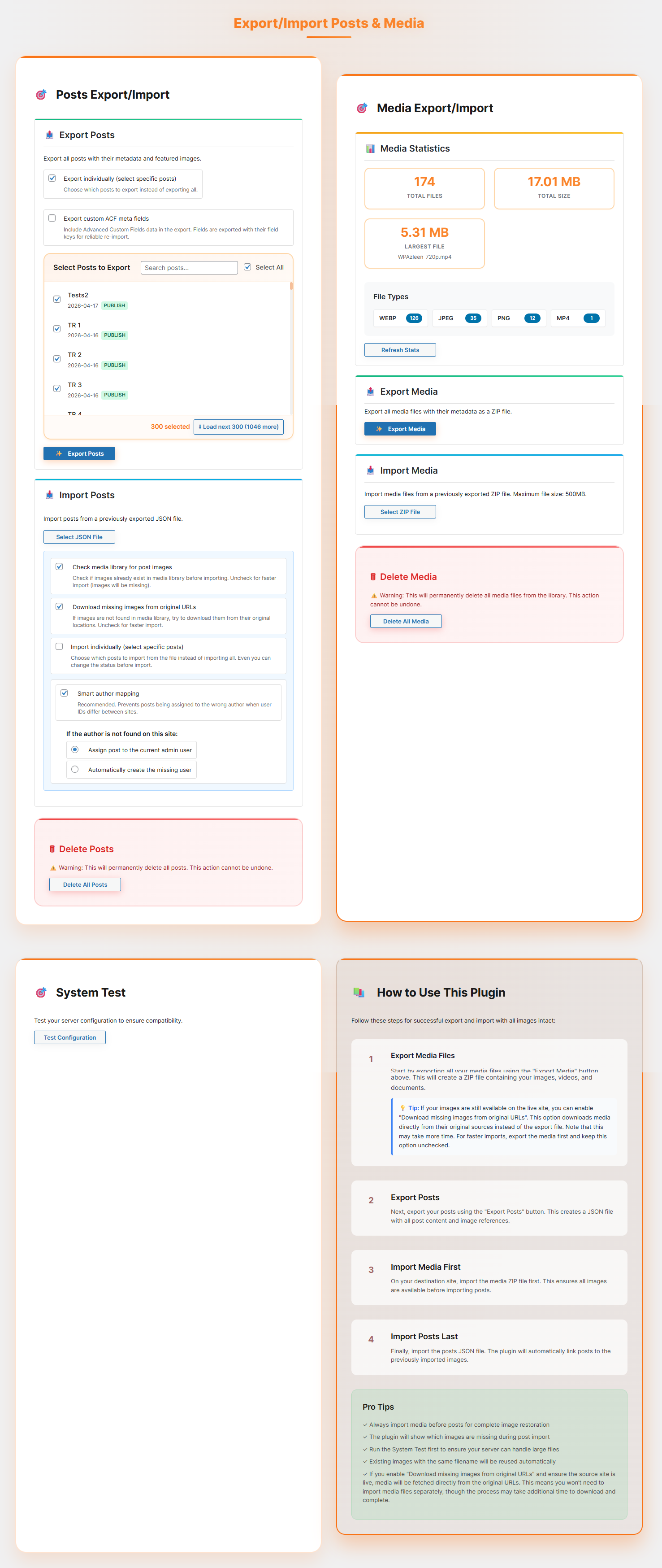
Dashboard of Export/Import Posts & Media. 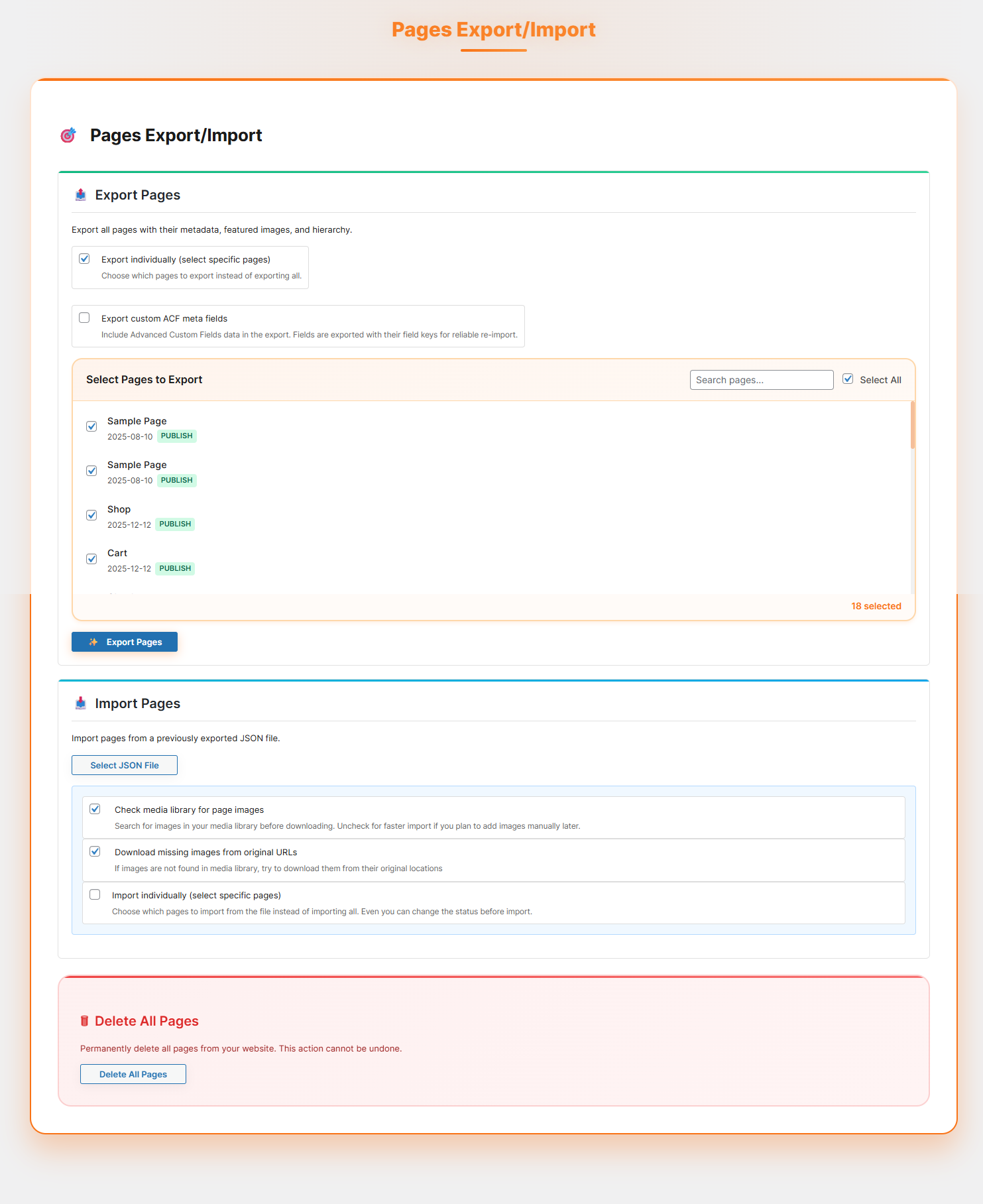
Dashboard of Pages Export/Import. 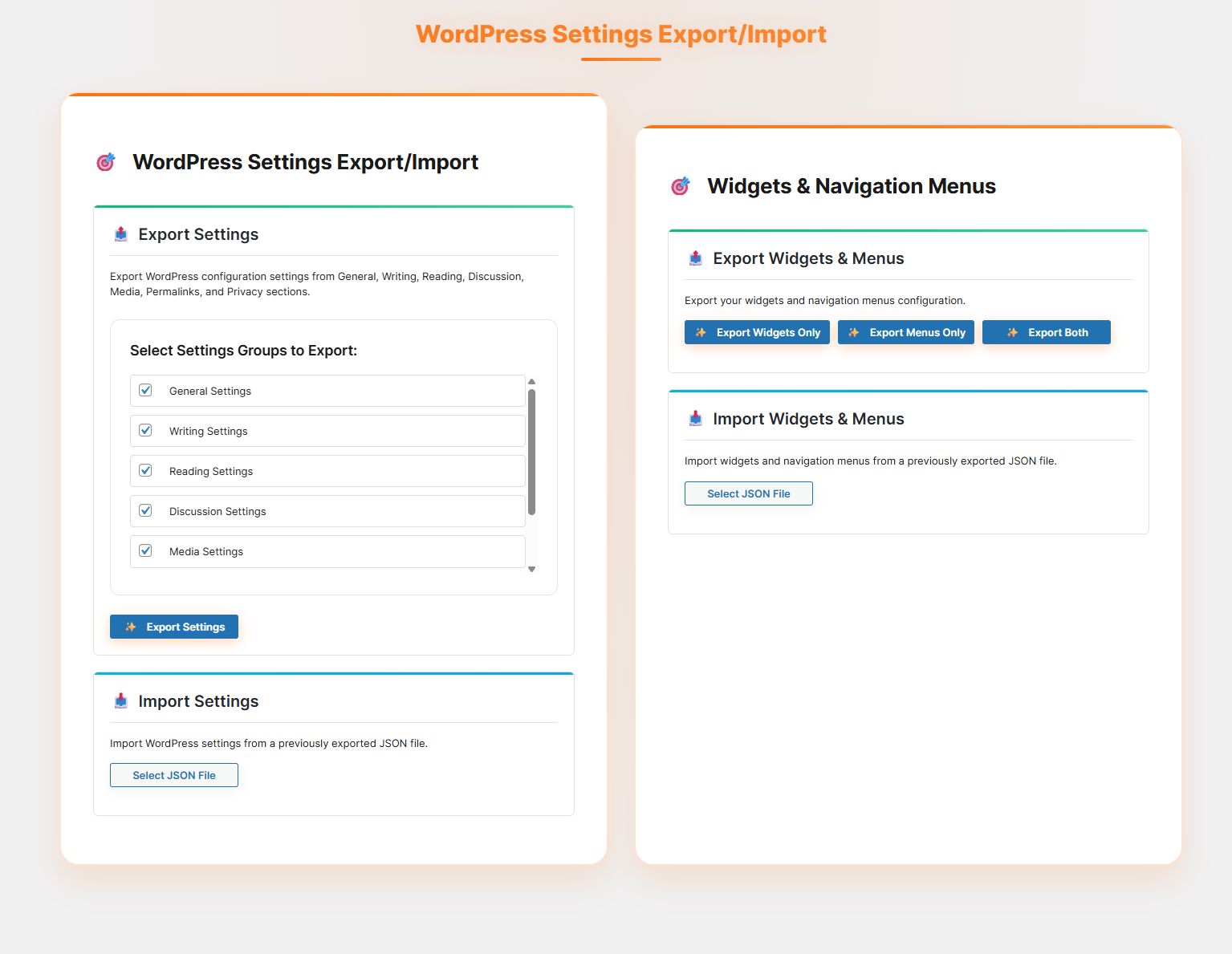
Dashboard of Themes & Plugins Backup. 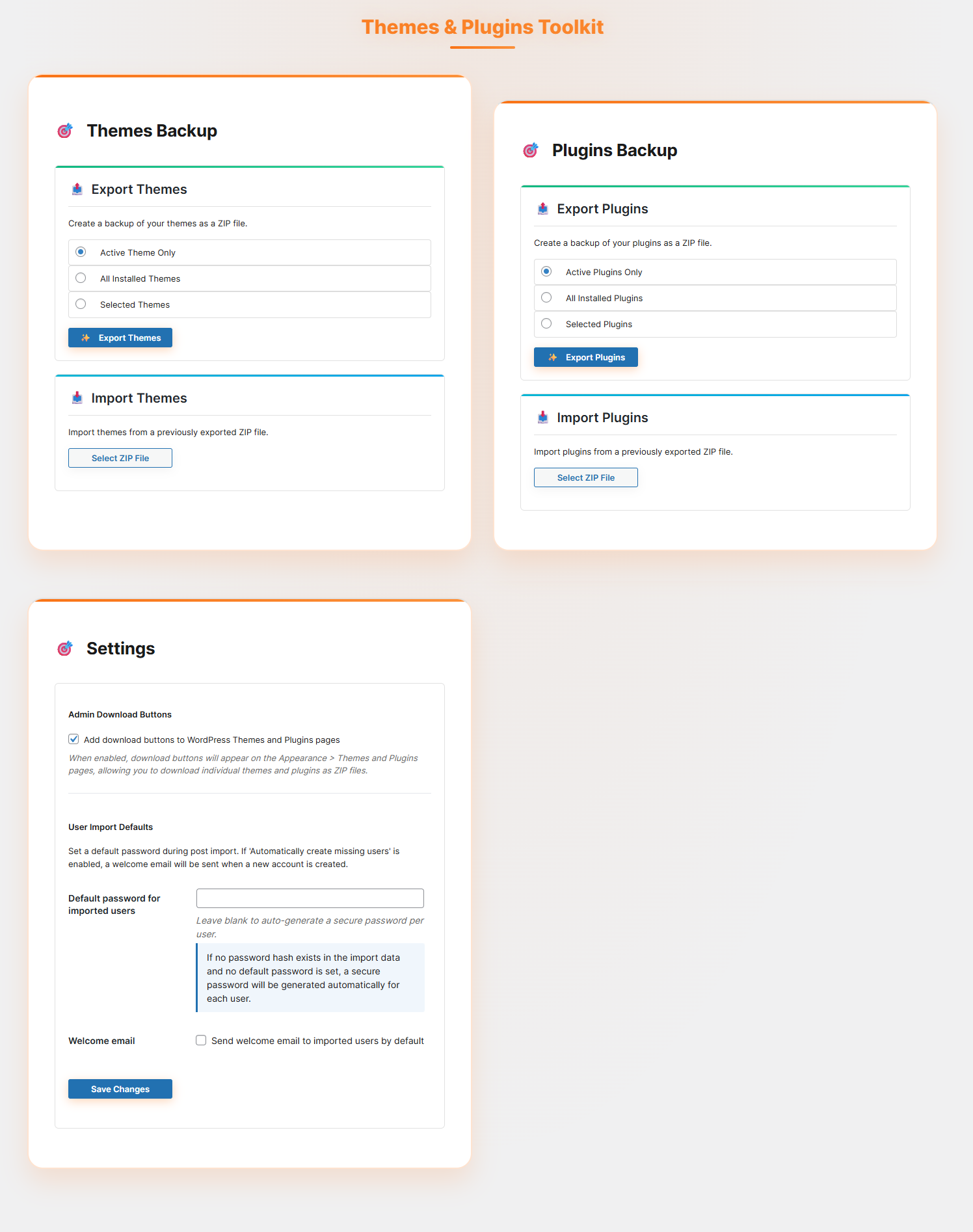
Dashboard of WordPress Settings Export/Import. 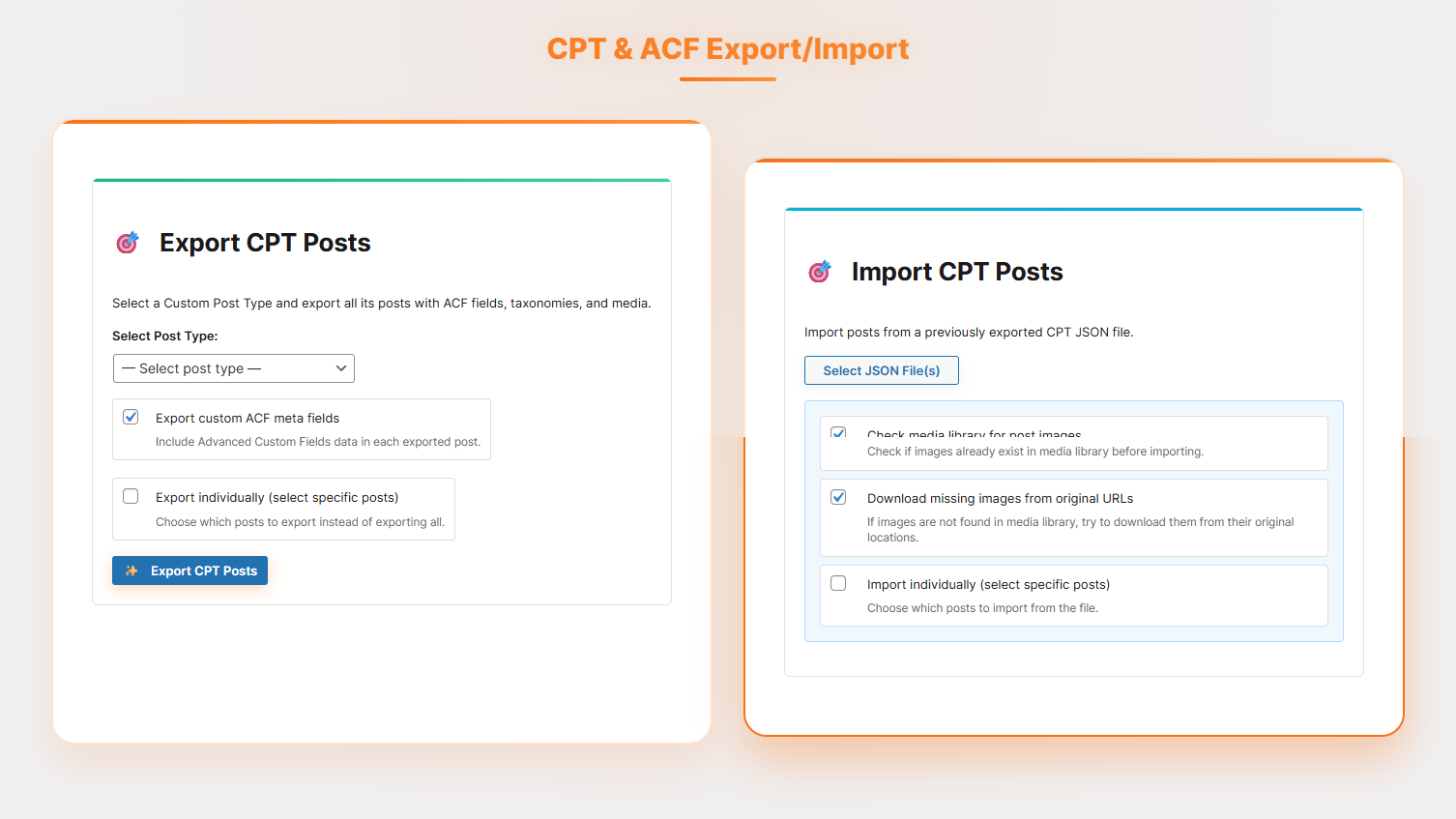

Installation
You can install the plugin manually or via the WordPress admin panel.
- Upload the Plugin:
– Upload the post-export-import-with-media folder to the /wp-content/plugins/ directory.
– Alternatively, install the plugin through the WordPress plugins screen directly.
- Activate the Plugin:
– Navigate to the ‘Plugins’ section in your WordPress admin panel.
– Click ‘Add New’ and search for “post-export-import-with-media”.
– Click ‘Install Now’ and then activate the plugin.
FAQ
-
Q: Does it import featured images and galleries?
-
A: Absolutely. The plugin imports featured images, galleries, and any media files attached to your posts.
-
Q: Can I use this plugin for large websites?
-
A: Yes. The plugin uses real-time progress tracking to handle larger exports and imports smoothly, reducing the chance of timeouts.
-
Q: Will it overwrite existing posts on import?
-
A: No. By default, it only imports new posts and media. Existing posts remain untouched unless you choose to update them.
-
Q: Do I need technical skills to use this plugin?
-
A: Not at all! The plugin is designed to be beginner-friendly with a simple interface that anyone can use.
Reviews


Contributors and Developers
“Post Export Import with Media” is open source software. The following people have contributed to this plugin.
Contributors

Translate “Post Export Import with Media” into your language.
Interested in development?
Browse the code, check out the SVN repository, or subscribe to the development log by RSS.
Change Log
1.10.1 – 02 June 2026
- Improved compatibility with hosting providers that use automated security scanners
- Enhanced the built-in import security check to ensure smooth installation across all environments
1.10.0 – 31 May 2026
- New: Export Posts by Date Range — Added a new “Export by Date Range” option in Advanced Export Settings
- New: Filter posts using From and To date selectors for more precise exports
- New: Apply Filter instantly loads only posts within the selected date range into the Selective Export panel
- Improved Media Statistics experience for Clean Missing Files with live Processing state and instant card updates
- Improved Media Statistics experience for Fix Paths with immediate visual feedback during path repairs
- Optimized background operation progress feedback during Media Statistics updates
- Reduced unnecessary Media Statistics reloads after successful cleanup actions
1.9.0 – 20 May 2026
- New: One click to export all image sizes including thumbnails, medium, and large
- New: Configurable allowed media file types with file type validation
- New: Improved Media Statistics with Unique Files, Total Files, and Missing Media Files details
- New: Fix Paths and Clean Missing Files actions directly from Media Statistics
- New: Multilingual support for both Post and Page Export/Import
- New: WPML language support
- New: Polylang language support
1.8.0 – 13 May 2026
- New: Email Template Settings — customize email templates for welcome emails and scheduled export notifications
- New: Available Template Tags support for dynamic email content
- New: Custom email customization options
- New: Send Test Email functionality for previewing email templates before use
- New: Smart author mapping by username or email instead of ID
- New: Option to assign posts to current admin user during import
- New: Automatically create missing users during import
- New: Users Export/Import with full profile fields including user_login, user_email, display_name, roles, and more
- New: Password support with hashed, ready-to-login credentials
- New: User meta and capabilities export including plugin role data
- New: WooCommerce user data support including billing, shipping, and last active
- New: ACF user fields support
- New: CPT authorship mapping for accurate post reassignment
- New: Set default password for imported users
- New: Send welcome email with login credentials on import
- New: Preserve original user IDs option with conflict logging
1.6.0 – 18 Apr 2026
- New: Full CPT and ACF Export/Import support including Custom Post Types with all associated posts, ACF fields, taxonomies, and media
- New: Built-in support for exporting and importing custom ACF taxonomies and meta fields for posts
1.5.0 – 17 Apr 2026
- New: Server preset mode for batch processing settings
- New: Improved bulk processing system for better performance
- New: Support for importing multiple files at once
1.4.1 – 10 Apr 2026
- Failed or timeout items are now listed with one-click retry after import completion
- Page smoothly scrolls to the progress bar during import
- Full progress tracking throughout the import process
- Improved handling to prevent false duplicate skipping
- Regular mode now processes the full ZIP without splitting
- Batch mode creates ZIPs based on configured media batch size
- Optimized Batch Mode Split by Item Count feature to include cumulative size grouping
1.4.0 – 28 Mar 2026
- New: Selective Export for Pages and Posts — export specific pages or posts individually
- New: Selective Import for Pages and Posts — import selected pages or posts instead of full import
- New: Preview and choose content before importing
- New: Flexible import options — set content status to Public, Private, or Draft before import
1.3.0 – 13 Feb 2026
- New: Batch Processing Settings for large-scale export/import with configurable Posts, Pages, and Media batch size
- New: Concurrent Requests control, Media ZIP Size Limit, and Batch Delay settings
- New: Recommended settings based on content size
- New: Scheduled Exports with Daily, Weekly, and Monthly frequency options
- New: Scheduled export support for Posts, Pages, Media, and Settings
- New: Email notifications on scheduled export completion
- New: Backup rotation with automatic deletion of old backups
- New: Backup management with Download and Delete options for existing backups
1.2.0 – 22 Dec 2025
- New: WordPress Pages Export and Import — export and import pages without data loss, preserving content, titles, and structure
- New: WordPress Settings Export and Import — backup and restore core WordPress settings across multiple sites
- New: Widgets and Navigation Menus Export and Import — export active widgets, sidebar configurations, and navigation menus
- New: Themes and Plugins Backup — create backups of installed themes and plugins with one-click download buttons
- New: Restore themes and plugins in case of accidental deletion or site failure
1.2.1 – 18 Jan 2026
- Enhancement: Codebase improvements and SDK integrations
1.1.0 – 13 Dec 2025
- New: Download missing images from original URLs
- Enhancement: Codebase fully refactored for improved performance and maintainability
- Improved media ZIP download feature
1.0.1 – 06 Dec 2025
- Enhancement: WordPress 6.9 compatibility
1.0.0
- Initial stable release