

Description
Controla helps you monitor and improve the security posture of your WordPress installation.
The plugin securely sends essential system metadata to your Controla dashboard so you can identify risks, outdated software, missing configurations, and general site health issues.
Data sent to Controla includes:
– Site and home URLs
– WordPress version, locale, multisite status, and automatic plugin update status
– Installed plugin names, file paths, versions, activation status, and update availability
– Basic server information
– WordPress user IDs, names, email addresses, roles, and two-factor authentication provider status (if configured)
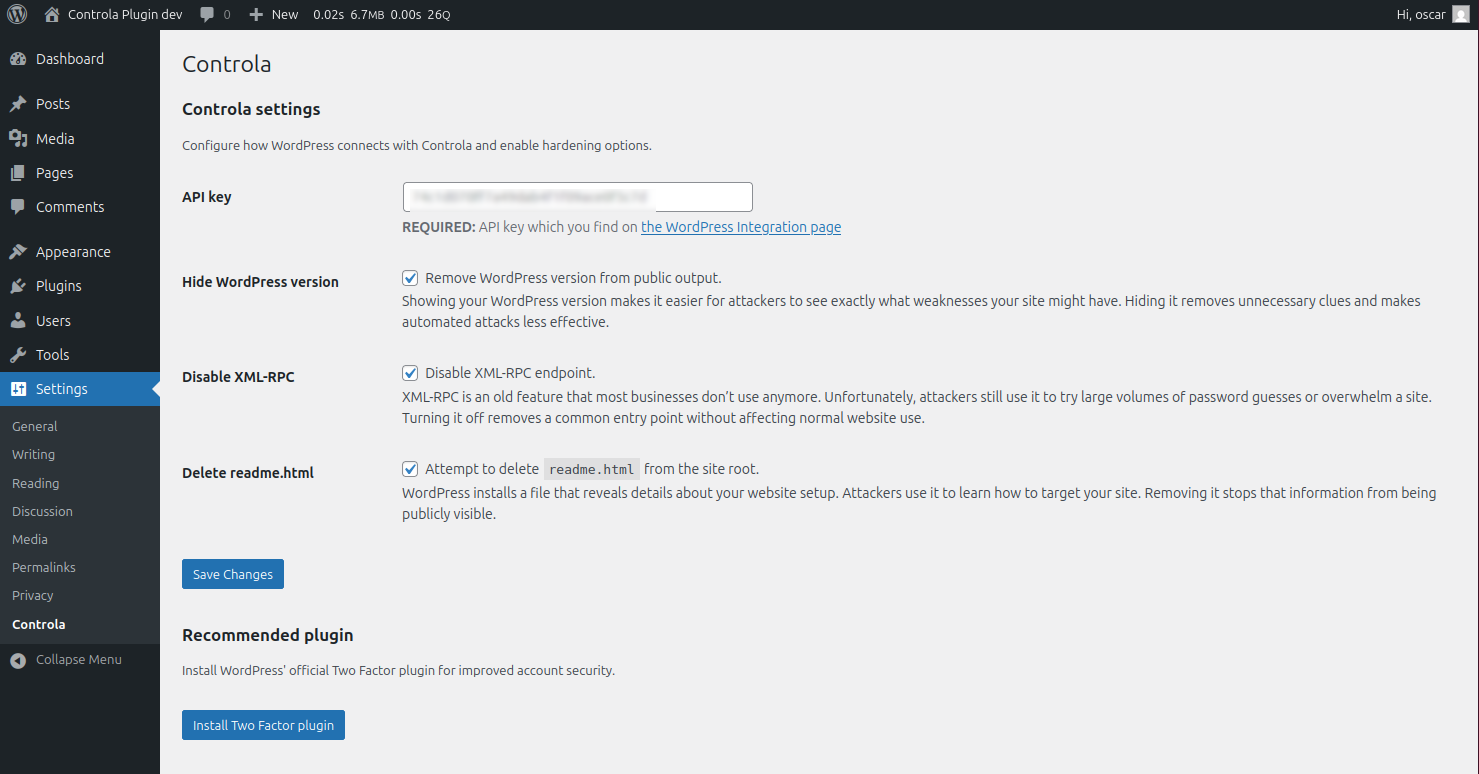
– The plugin’s security-hardening settings and generated server security recommendations
The plugin does NOT collect passwords, site content, or session data.
Separately, the plugin stores a local security audit log in the WordPress database. Audit entries can contain usernames, WordPress user IDs, IP addresses, event details, and timestamps. These entries are not included in the data sent to Controla and are retained until the site owner deletes them.
A free Controla account is recommended to make the most out of this plugin.
External services
This plugin connects to the Controla service at app.controla.ai to display WordPress security and health insights in the user’s Controla dashboard. The connection is required only for the dashboard integration; the plugin’s local security-hardening features can be used without it.
After an administrator enters a Controla API key, the plugin sends the API key for authentication and the site metadata listed in the Description section. Data is sent when the plugin settings are saved, approximately once every 24 hours, and after a WordPress user is registered, updated, or deleted or a plugin is activated or deactivated (limited to at most once every five minutes for these events). No site data is sent to Controla until an API key has been configured.
This service is provided by Controla AB:
– Service: https://app.controla.ai/
– Terms and Conditions: https://www.controla.ai/en/terms-and-conditions
– Privacy Policy: https://www.controla.ai/en/privacy-policy
Screenshots
Installation
- Upload the plugin files to
/wp-content/plugins/controla, or install via the WordPress Plugins screen. - Activate the plugin through Plugins Installed Plugins.
- Go to Settings Controla and enter your API key.
- Your site will begin syncing security and health information to your Controla dashboard.
FAQ
-
Does the plugin collect sensitive data?
-
No, the plugin sends the site and user metadata listed in the Description section to Controla for security and health analysis. It does not send passwords, site content, or session data.
-
Will this affect site performance?
-
Unlikely, data collection is designed to be lightweight. Requests to Controla have a five-second timeout and occur only at the times described in the External services section.
-
Do I need a Controla account?
-
Not for basic hardening, but a free account is required to view your security insights.
Reviews
There are no reviews for this plugin.
Contributors and Developers
“Controla: Secure your site” is open source software. The following people have contributed to this plugin.
Contributors
Translate “Controla: Secure your site” into your language.
Interested in development?
Browse the code, check out the SVN repository, or subscribe to the development log by RSS.
Change Log
1.0.2
Document the Controla external service, improve PHP 7.4 compatibility, tighten the recommended-plugin installer, and exclude directory screenshots from release packages.
1.0.1
Support WordPress 7, raise the minimum supported PHP version to 7.4 and WordPress version to 5.9.
1.0.0
Initial release.