
Description
A11yFleet is an accessibility checker for WordPress. It scans your posts, pages and the full rendered page against WCAG 2.1 level AA success criteria — the standard behind the European Accessibility Act (EAA / EN 301 549), the ADA and Section 508 — scores every page, and shows exactly what to fix and why. It then builds a compliance report and a draft accessibility statement you can adapt for the EAA.
Accessibility is now a legal requirement for many websites: the European Accessibility Act became enforceable in June 2025, and WCAG 2.1 AA is the benchmark shared by the EAA, the ADA and Section 508. A11yFleet helps you find and fix the machine-detectable accessibility issues and see clearly where manual review is still needed — continuously, instead of paying for a one-off audit.
What it does
- Automated WCAG 2.1 AA checks on your content and on the full rendered page (theme header, navigation and footer included): missing image alt text, non-descriptive link text, skipped heading levels, unlabelled form controls, buttons with no accessible name, duplicate IDs, empty headings, missing iframe titles, and missing document language.
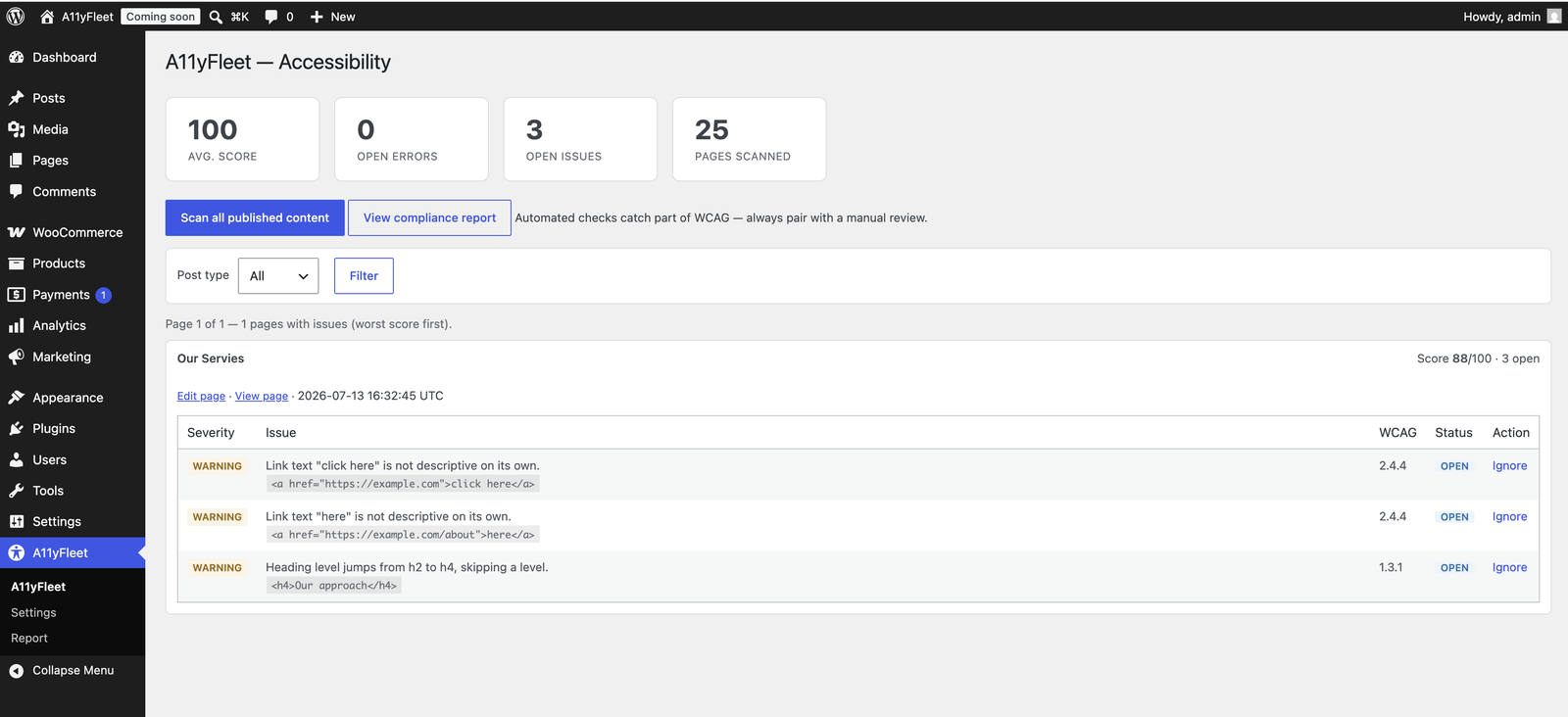
- An accessibility dashboard listing pages that have issues, worst score first, with per-issue ignore / restore that persists across re-scans.
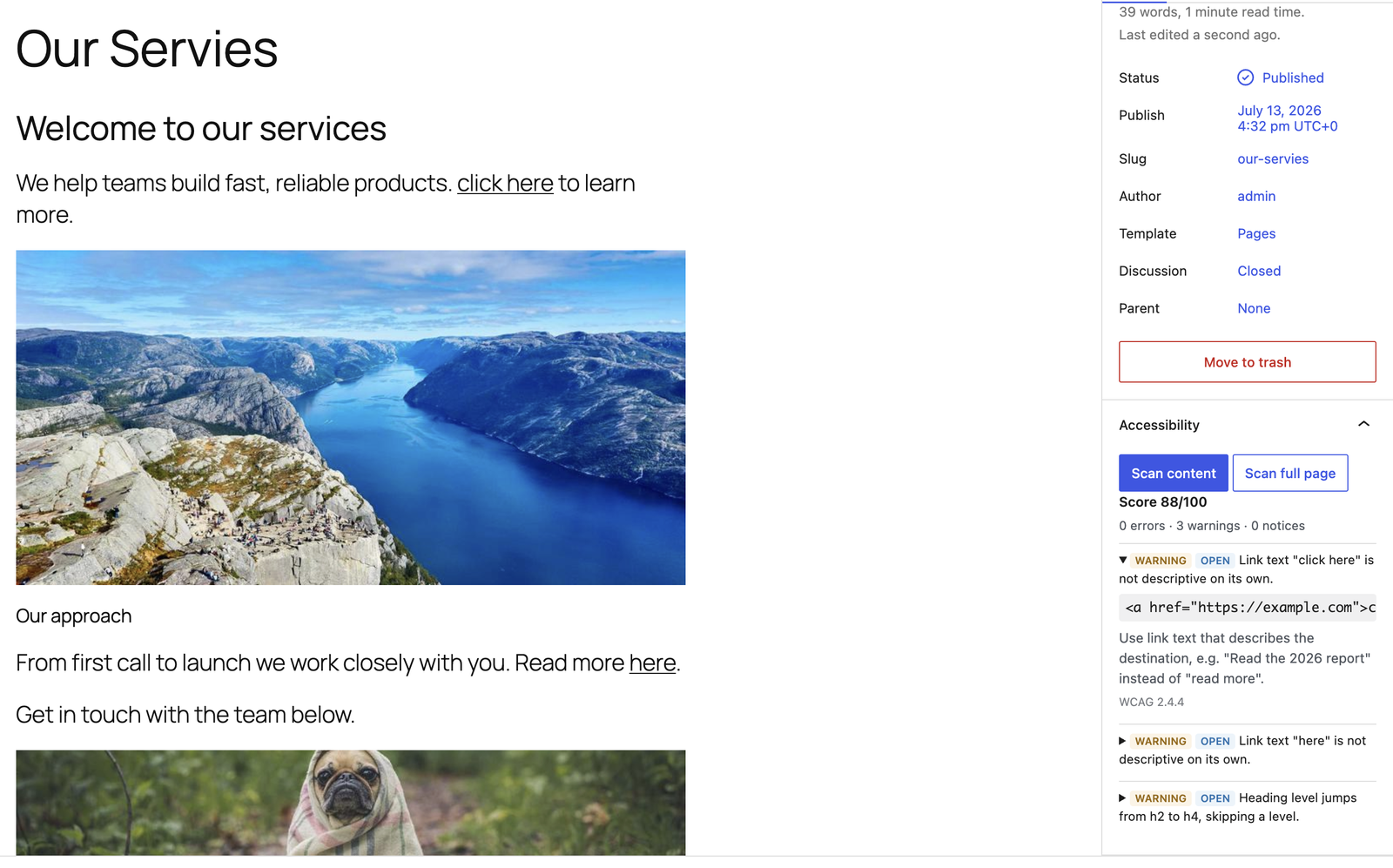
- An Accessibility panel in the block editor to scan the content you’re editing (before you publish) or the full page, kept in sync with the dashboard.
- Background, batched scanning with an optional scheduled full-site accessibility scan (hourly, daily or weekly).
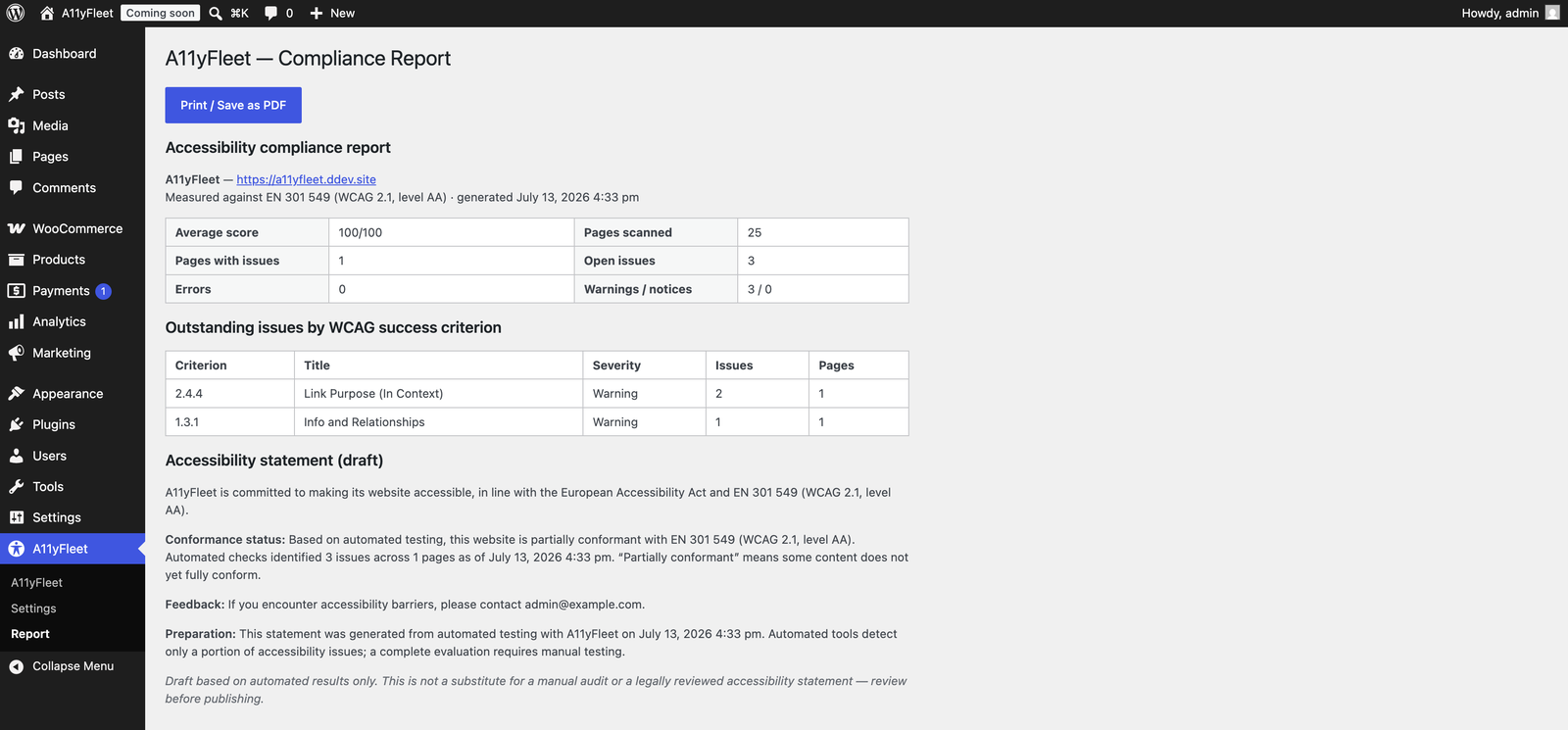
- A compliance report mapped to EN 301 549 with an auto-generated accessibility-statement draft, exportable to print / PDF.
Who it’s for
Site owners, agencies and developers who need to meet EAA, ADA, Section 508 or general WCAG accessibility requirements on WordPress — and who want to catch issues as they publish instead of at audit time.
Honesty note
Automated tools can only detect a portion of WCAG success criteria. A11yFleet does the automatable part well and clearly flags where human review is still required — it never claims a site is “100% compliant”.
Development
The admin JavaScript/CSS is built with @wordpress/scripts from the human-readable source in src/Admin/resources/. To build: npm install && npm run build. Composer, PHPCS/WPCS, PHPStan and PHPUnit are configured in the repository.
Screenshots
Installation
- Upload the
a11yfleetfolder to/wp-content/plugins/, or install the zip via Plugins Add New Upload. - Activate the plugin. Its database tables are created on activation.
- Go to A11yFleet in the admin menu and click Scan all published content.
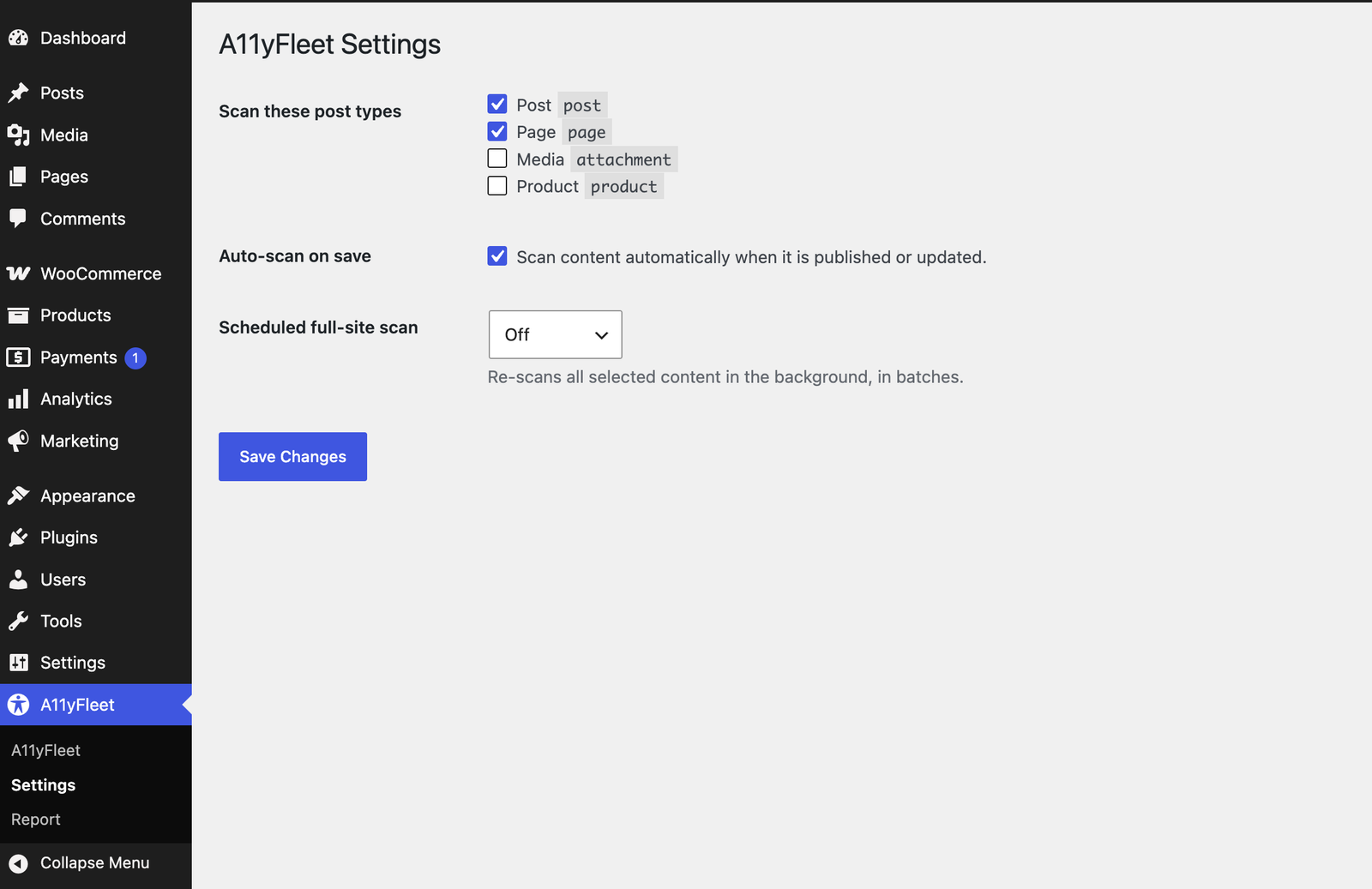
- Choose scanned post types and scheduled scans under A11yFleet Settings.
FAQ
-
Is A11yFleet an EAA compliance plugin?
-
It helps you get there. The European Accessibility Act points to EN 301 549, which is based on WCAG 2.1 AA. A11yFleet checks your content against those WCAG criteria, reports what to fix, and generates a draft accessibility statement — the automatable groundwork for EAA compliance. Full compliance still requires manual review.
-
Does it check WCAG 2.1 AA?
-
Yes. Every rule maps to a WCAG 2.1 success criterion at level A or AA, and the compliance report groups outstanding issues by criterion.
-
Can it help with ADA or Section 508 compliance?
-
Yes. Web accessibility under both the ADA and Section 508 is assessed against WCAG, so the same checks apply. A11yFleet flags the machine-detectable WCAG issues those laws are concerned with.
-
Does this make my site automatically compliant?
-
No. No automated tool can. A11yFleet finds and helps you fix the machine-detectable issues and shows where manual review is still needed.
-
Which content is scanned?
-
Published posts and pages by default. Choose post types in Settings, or use the
a11yfleet_scannable_post_typesfilter. -
Does it send my data anywhere?
-
No. Scanning runs on your own server, and the full-page scan requests only your own site’s URLs. No data leaves your site.
-
Does it work on Multisite?
-
It works on standard single-site installs and when activated on an individual site within a network (each site keeps its own data). Network-wide activation and a cross-site (network admin) dashboard are planned for a future release — for now, activate it per site rather than “Network Activate”.
Reviews
There are no reviews for this plugin.
Contributors and Developers
“A11yFleet – Accessibility Checker for WCAG, ADA & EAA Compliance” is open source software. The following people have contributed to this plugin.
Contributors
Translate “A11yFleet – Accessibility Checker for WCAG, ADA & EAA Compliance” into your language.
Interested in development?
Browse the code, check out the SVN repository, or subscribe to the development log by RSS.
Change Log
1.0.0
- Initial release: WCAG scan engine (9 rules), content + full-page scanning, block-editor panel, ignore/restore workflow, batched + scheduled scans, and the EN 301 549 compliance report + accessibility-statement generator.