

Description
SmartGuard AI adds an AI relevance firewall to Gravity Forms.
Traditional spam tools mostly ask: “Does this look like bot traffic?”
SmartGuard asks: “Is this submission relevant for this form and this business?”
That is why it works well for websites that receive many human-written but irrelevant messages.
Why teams install SmartGuard AI
- Higher signal quality in Gravity Forms entries, not just bot blocking.
- Explainable decisions with score, threshold, reason, model profile, and history.
- Faster moderation with direct
Confirm spam/Confirm not spamactions. - Better long-term accuracy via adaptive thresholds from real admin feedback.
- Scale-ready operations: async queue, retry/backoff, circuit breaker, and API usage limits.
- Integration-ready for agencies and automation stacks (REST, signed webhooks, MCP tools/resources, HubSpot connector).
What you can control
- Decision states:
flagged,passed,review,skipped,queued. - Global + per-form control: enable/disable, threshold override, prompt version, A/B mode, model profile.
- Cost/risk controls: minimum content length, daily/weekly/monthly API limits, pattern cache.
- Governance controls: retention settings, excluded fields, audit trail, white-label and multisite defaults.
Best fit use cases
- Contact forms with recurring irrelevant outreach or low-quality lead spam.
- Clinics, legal firms, consultancies, and local services where relevance is critical.
- Multi-form setups where each form needs a different strictness level.
- Agencies operating multiple client sites with standardised anti-spam operations.
Quick setup (about 5 minutes)
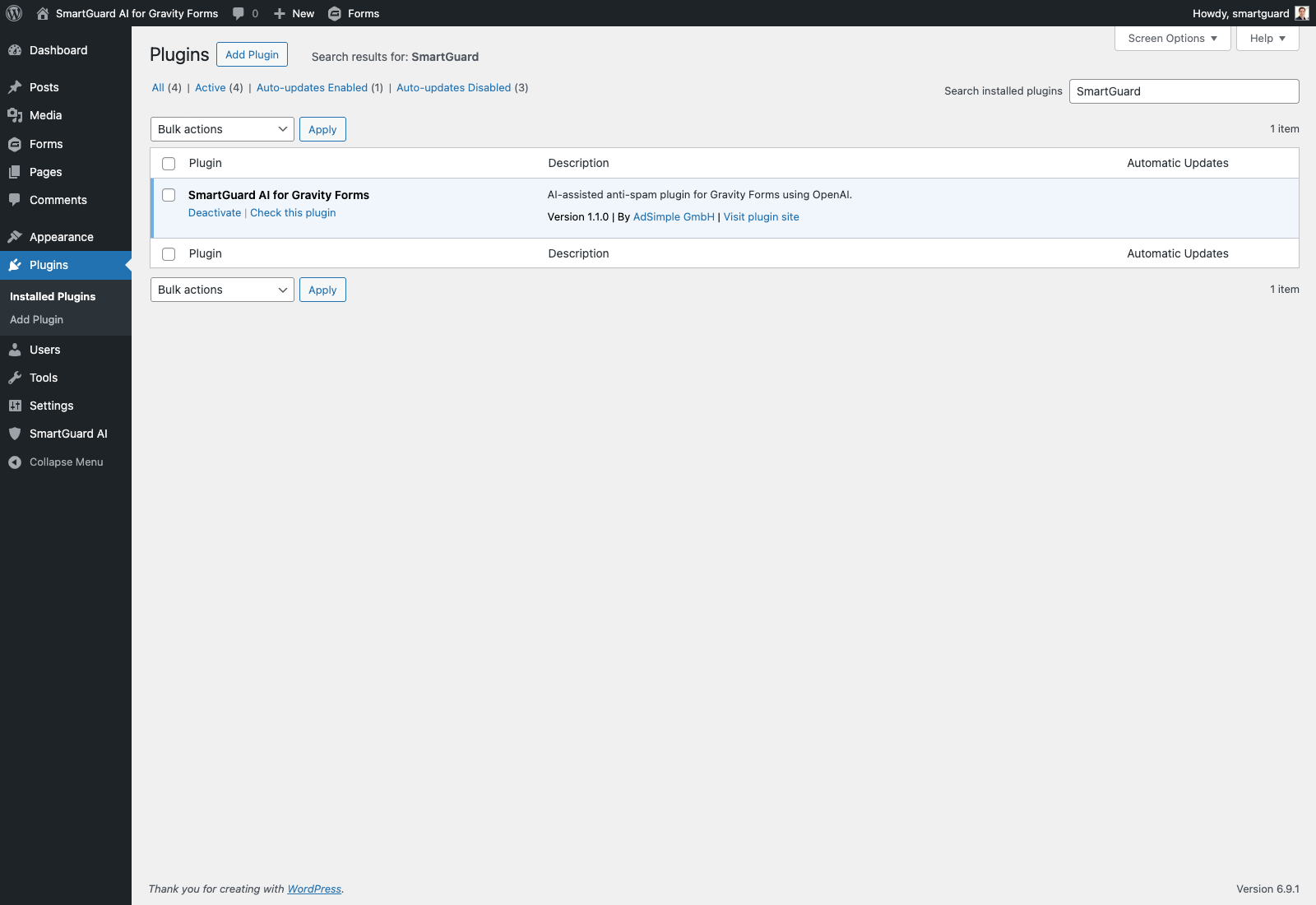
- Activate SmartGuard AI and ensure Gravity Forms is active.
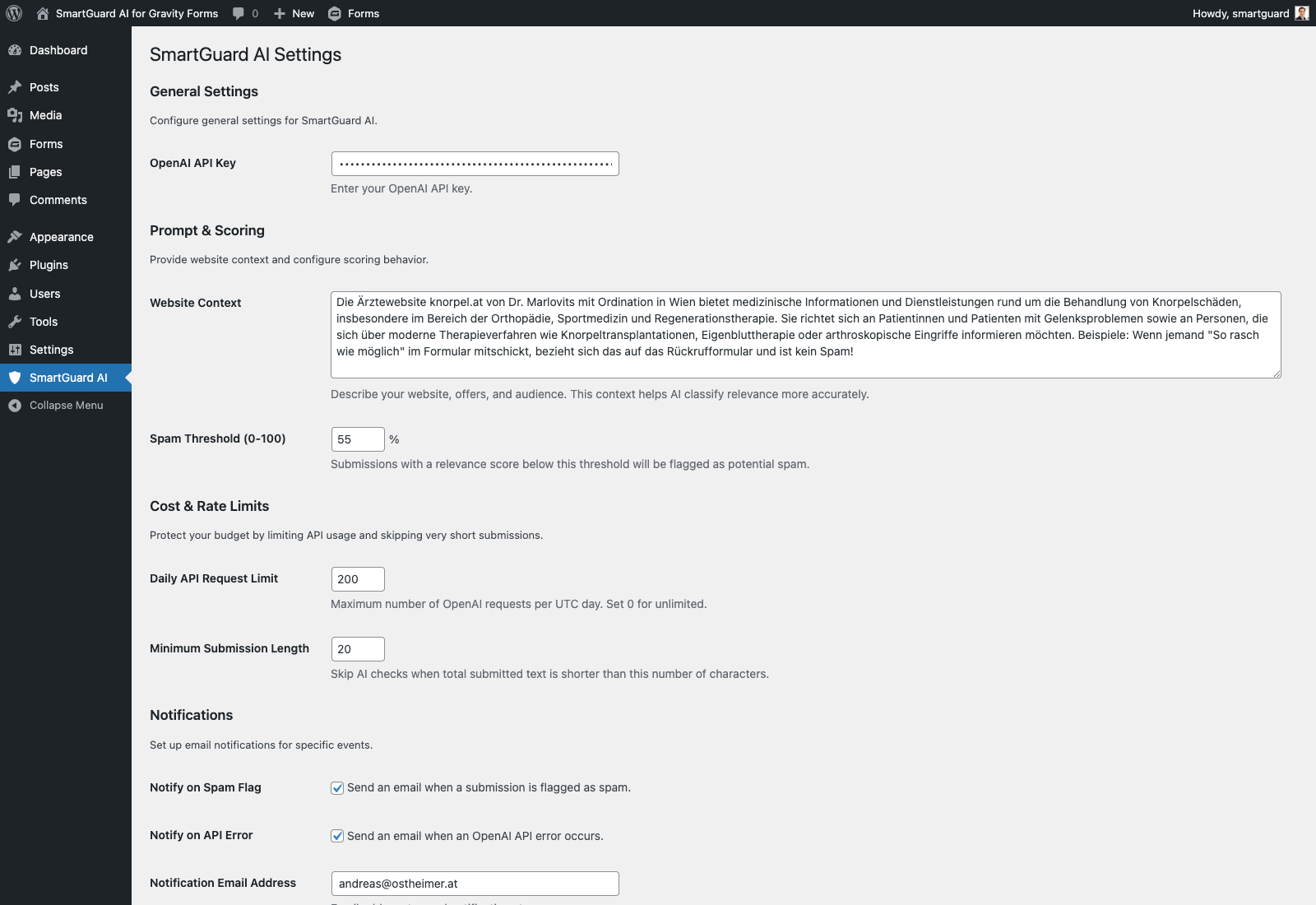
- Add your OpenAI API key.
- Set threshold and uncertainty margin.
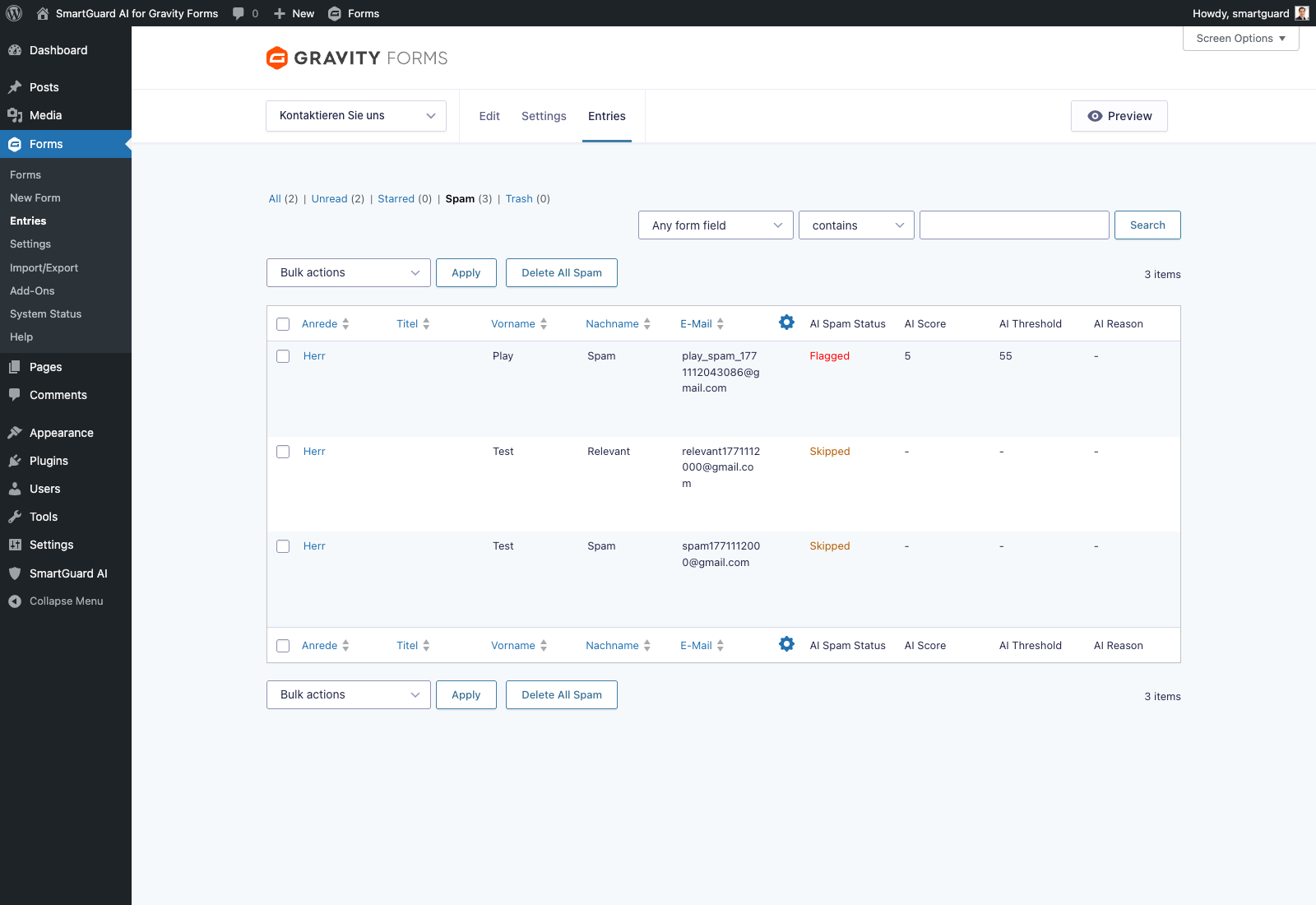
- Submit one test entry and review the score/reason in the entries list.
- Tune per-form thresholds where needed.
Bundled locales:
- bg_BG, hr, cs_CZ, da_DK, nl_NL, en_GB, et, fi, fr_FR, de_DE, de_AT, el, hu_HU, ga, it_IT, lv, lt_LT, mt_MT, pl_PL, pt_PT, ro_RO, sk_SK, sl_SI, es_ES, sv_SE, he_IL.
Requirements:
- WordPress 5.9 or higher
- PHP 7.4 or higher
- Gravity Forms 2.5 or higher (required)
- OpenAI API key
External services
OpenAI API
This plugin connects to the OpenAI API to analyse enabled form submissions and calculate a relevance score.
- What the service is used for: AI-based spam and relevance scoring for Gravity Forms entries.
- Data sent for scoring: submitted field labels and submitted values from the form entry being analysed, plus the optional website context configured by the site admin.
- Data sent for the explicit connection test: only the API authorization header and configured model identifier; no form data or prompt content is sent.
- When data is sent: when an enabled form entry is checked by SmartGuard and passes local guardrails, or when an administrator explicitly selects Test API connection in the plugin settings.
- Where data is sent:
https://api.openai.com/v1/chat/completionsfor scoring requests andhttps://api.openai.com/v1/models/{configured-model}for the read-only connection test. - Service provider: OpenAI.
- Terms of Use: https://openai.com/policies/terms-of-use
- Privacy Policy: https://openai.com/policies/privacy-policy
Custom outbound webhook (optional)
This plugin can send signed SmartGuard events to an endpoint URL configured by the site administrator. The feature is disabled by default.
- What the service is used for: forwarding decision and feedback events to an automation or integration endpoint selected by the site administrator.
- Data sent: delivery ID, event name, timestamp, attempt number, entry ID, form ID, decision status, score, threshold, reason, prompt version/variant, model profile/model, or feedback label/source, depending on the event. Submitted form field values are not included.
- When data is sent: only when outbound webhooks are enabled and SmartGuard creates or updates a decision or feedback label; failed deliveries can be retried.
- Where data is sent: the custom endpoint URL entered by the site administrator in SmartGuard settings.
- Service provider and terms: determined by the configured endpoint. The site administrator is responsible for reviewing that provider’s terms and privacy policy before enabling the webhook.
HubSpot API (optional)
This plugin includes an optional HubSpot connector that is disabled by default.
- What the service is used for: forwarding SmartGuard decision and feedback events to a CRM notes endpoint for follow-up workflows.
- Data sent: SmartGuard event metadata including entry ID, form ID, status or feedback label, score, threshold, reason, and timestamp. The default connector does not send submitted field values to HubSpot.
- When data is sent: only when the site admin enables the HubSpot connector and SmartGuard emits a supported decision or feedback event.
- Where data is sent:
https://api.hubapi.com/crm/v3/objects/notesby default, or the custom endpoint URL configured by the site admin. - Service provider: HubSpot for the default endpoint. If a custom endpoint is configured, the same event payload is sent to that configured external service instead.
- Terms of Use: https://legal.hubspot.com/website-terms-of-use
- Privacy Policy: https://legal.hubspot.com/privacy-policy
Screenshots
Installation
- Upload the
smartguard-ai-for-gravity-formsfolder to/wp-content/plugins/or install the plugin ZIP via WordPress admin. - Activate SmartGuard AI in WordPress.
- Ensure Gravity Forms is installed and activated.
- Open SmartGuard AI settings in the WordPress admin menu.
- Add your OpenAI API key.
- Set spam threshold, uncertainty margin, and API/cost limits.
- Optional: configure adaptive thresholds, async processing, and webhook integration.
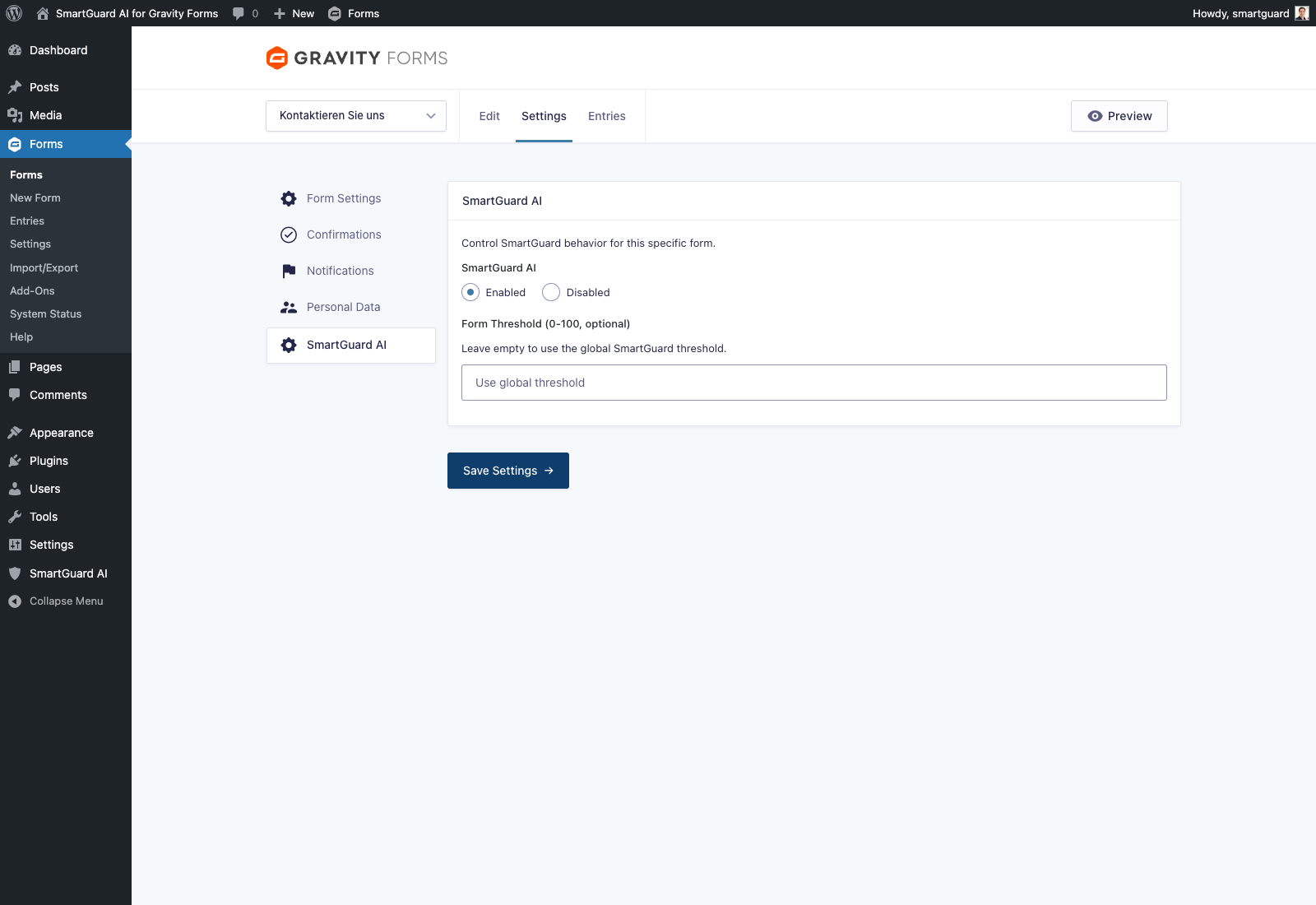
- Optional: per form, open Forms -> Settings -> SmartGuard AI and configure form-specific enable/disable, threshold override, prompt version, A/B mode, and model profile.
FAQ
-
Does this plugin work without Gravity Forms?
-
No. Gravity Forms is required.
-
The plugin fails open for reliability: entries are not auto-marked as spam when no valid score is returned.
-
What does the score mean?
-
The score represents how relevant the submission appears for your website context. Lower than threshold is treated as spam.
-
Is this a replacement for all spam tools?
-
SmartGuard AI is best used as an additional relevance-based layer. You can still combine it with classic protections (honeypots, captcha, blocklists) for stronger coverage.
-
Where are results stored?
-
The plugin stores decision status, score, threshold, reason, prompt version, confidence, feedback labels, and decision history in Gravity Forms entry meta. Aggregated decision/feedback logs are stored in WordPress options for analytics, learning, and exports.
-
Why does an entry show “Skipped” or “Review”?
-
SmartGuard uses:
–Reviewwhen score is inside the uncertainty margin around threshold.
–Skippedwhen checks are disabled, content is too short, limits/circuit prevent API calls, or API response is invalid. -
Is there an API for integrations?
-
Yes. SmartGuard provides REST endpoints for stats, entry details, feedback, review queue, exports, audit logs, and MCP-compatible resources/tools. Signed outbound webhooks and signed inbound feedback webhook are also available.
-
Is there WP-CLI support?
-
Yes. Use
wp smartguardcommands for stats, review queue, threshold tuning, feedback import, and connector inspection. -
Is there a complete settings reference?
-
Yes. Open SmartGuard AI -> Settings and use the built-in Settings Reference section. Form-specific controls remain available under Forms -> Settings -> SmartGuard AI.
-
Can translations be managed on WordPress.org?
-
Yes. Translations can be maintained on
translate.wordpress.org(project:smartguard-ai-for-gravity-forms), and WordPress delivers approved language packs automatically. This package also includes reviewed German fallback catalogs forde_DEandde_AT.
Reviews
There are no reviews for this plugin.
Contributors and Developers
“SmartGuard AI for Gravity Forms” is open source software. The following people have contributed to this plugin.
Contributors
“SmartGuard AI for Gravity Forms” has been translated into 2 locales. Thank you to the translators for their contributions.
Translate “SmartGuard AI for Gravity Forms” into your language.
Interested in development?
Browse the code, check out the SVN repository, or subscribe to the development log by RSS.
Change Log
1.3.4
- Rebuilt 30-day dashboard metrics from privacy-safe Gravity Forms entry metadata, including legacy decisions, skipped checks, and scoring coverage.
- Replaced automatic API validation on settings saves with an explicit read-only model-access test that sends no form data or prompt content.
- Completed and refreshed German admin translations for Germany and Austria, including localized weekly quality reports.
1.3.3
- Added WordPress.org-facing external service documentation for OpenAI and the optional HubSpot connector.
- Updated plugin contributor metadata for the WordPress.org owner account.
1.3.2
- Extended settings UI polish with fast section navigation chips and clearer long-form orientation.
- Improved settings-page usability on desktop/mobile with refined spacing and sticky save area.
- Added Docker smoke-test report for relevant vs spammy submission behaviour.
- Removed leftover Firecrawl placeholder file from packaging surface.
1.3.1
- Polished SmartGuard admin UI for faster scanning and easier configuration (structured KPI cards, clearer section layout, improved spacing on desktop/mobile).
- Added scoped admin stylesheet loaded only on SmartGuard settings pages.
- Removed unused Firecrawl placeholder class from plugin package.
1.3.0
- Added prompt A/B testing mode with deterministic variant assignment and KPI attribution by variant.
- Added per-form model profile selection (
cost,balanced,quality) with model metadata tracking. - Added HubSpot reference CRM connector with configurable endpoint and flagged-only filtering.
- Added multisite network defaults page with optional enforced white-label branding.
- Added WP-CLI command suite (
wp smartguard ...) for stats, review queue, threshold updates, and feedback. - Added agency/white-label settings (brand name, support URL/email, client mode).
- Extended REST stats and reporting with prompt-variant/model-profile comparisons.
- Expanded operations and partner documentation (multisite, WP-CLI, HubSpot, agency program).
1.2.0
- Added uncertainty zone with
reviewdecision state. - Added admin feedback actions (
Confirm spam/Confirm not spam) with persisted learning labels. - Added adaptive per-form threshold learning and drift signal state.
- Added decision history with prompt version, source, and confidence metadata.
- Added REST API core: stats, entry details, feedback, review queue, audit, export.
- Added MCP-compatible resources/tools API layer.
- Added signed outbound and inbound webhooks with retry and idempotency.
- Added async processing mode, retry/backoff, circuit breaker, and pattern cache.
- Added privacy controls: excluded field types/labels and retention settings.
- Added scheduled weekly report framework and extension connector registry.
- Added adapter architecture with Gravity Forms adapter and CF7 skeleton.
1.1.0
- Fixed AI status display for entries without SmartGuard meta.
- Added per-form SmartGuard enable/disable and optional form threshold override.
- Added AI reason tracking and display in entry list.
- Added cost/rate controls: minimum submission length and daily API request limit.
- Improved privacy/external-service disclosure in plugin settings.
1.0.0
- Initial public release.
- Gravity Forms integration for AI-based spam scoring.
- Admin settings for API key, context, threshold, and notifications.