

Description
Softlinkster Update Shield is a WordPress plugin update checker for plugin-heavy sites. Review update risk before you click Update, catch likely conflicts and PHP issues, and spot duplicate or low-value plugins from one admin dashboard.
The Problem Every WordPress User Faces:
You see pending plugin updates, click “Update All,” and hope nothing breaks. Then checkout fails, forms disappear, or a page builder layout shifts. This plugin helps you check likely risk before that happens.
What Softlinkster Update Shield Does:
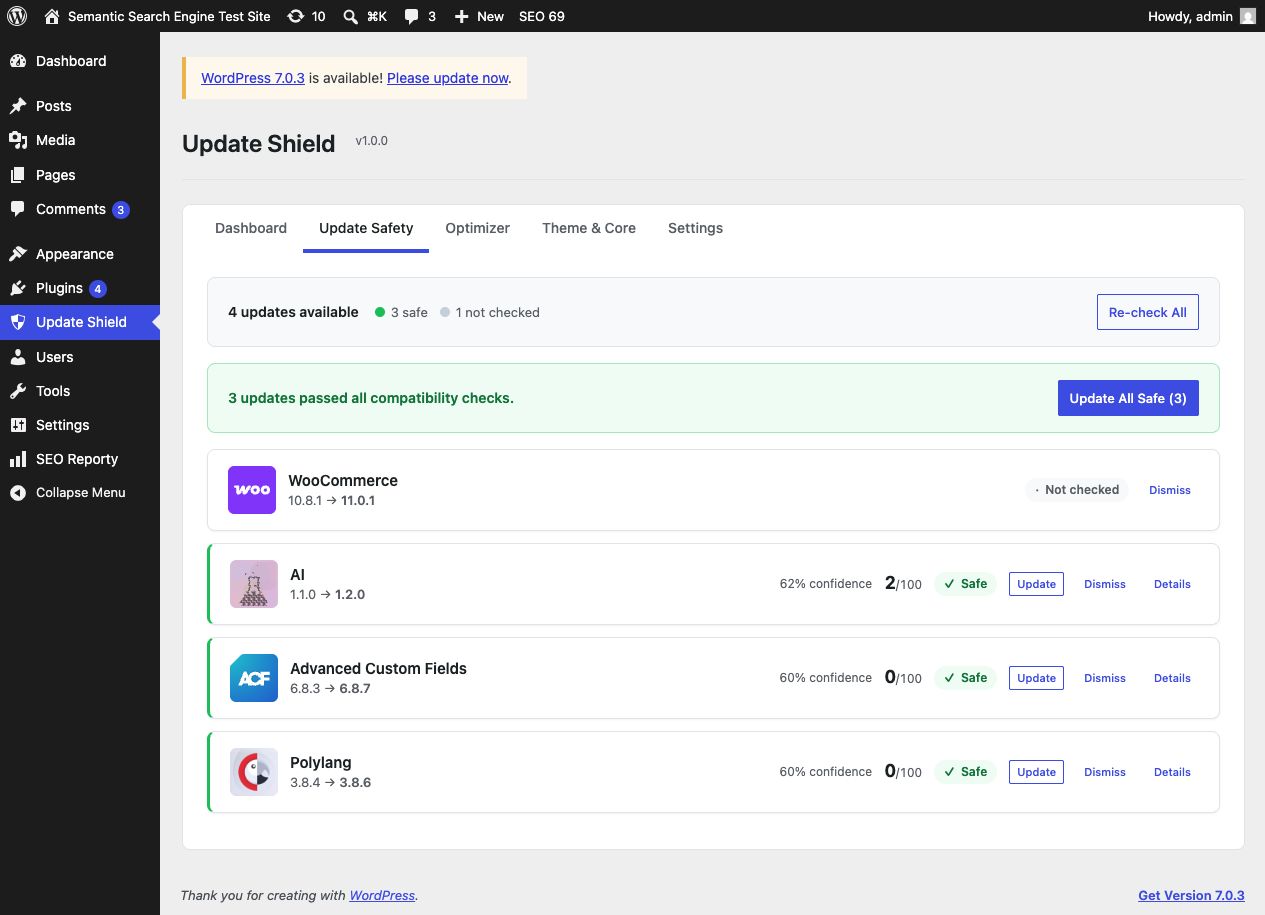
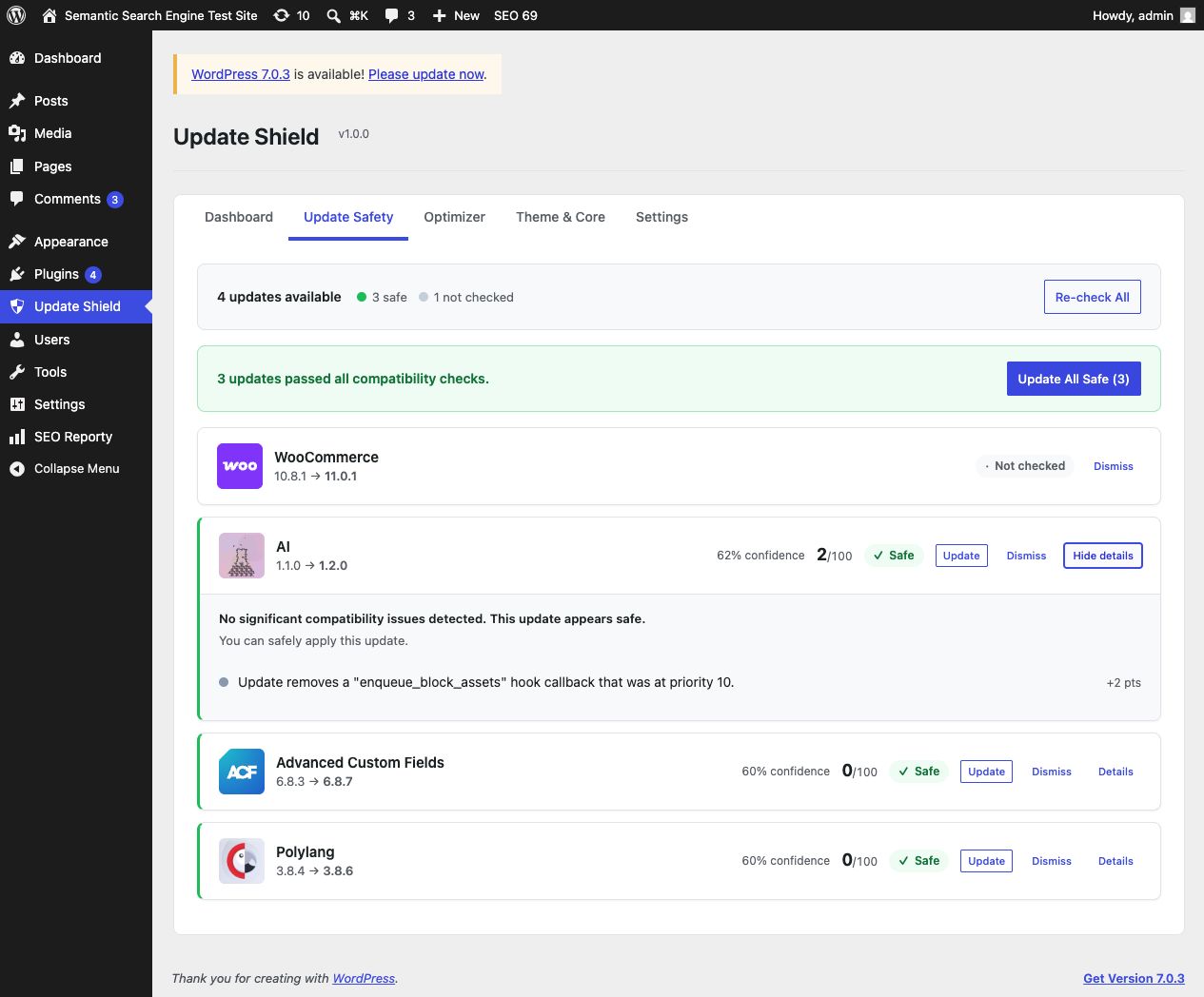
Pre-Update Safety Check
See a safe, caution, or risky rating for every pending update. Softlinkster Update Shield downloads the pending version from WordPress.org when available, scans its code, checks for plugin conflicts with your other plugins, and verifies PHP compatibility before you click Update.
This is static code analysis, not a live test of your site. It reliably catches guaranteed fatal errors such as PHP version incompatibilities and duplicate class or function names. It cannot predict every runtime problem, layout shift, or JavaScript error, so a backup before major updates is still good practice.
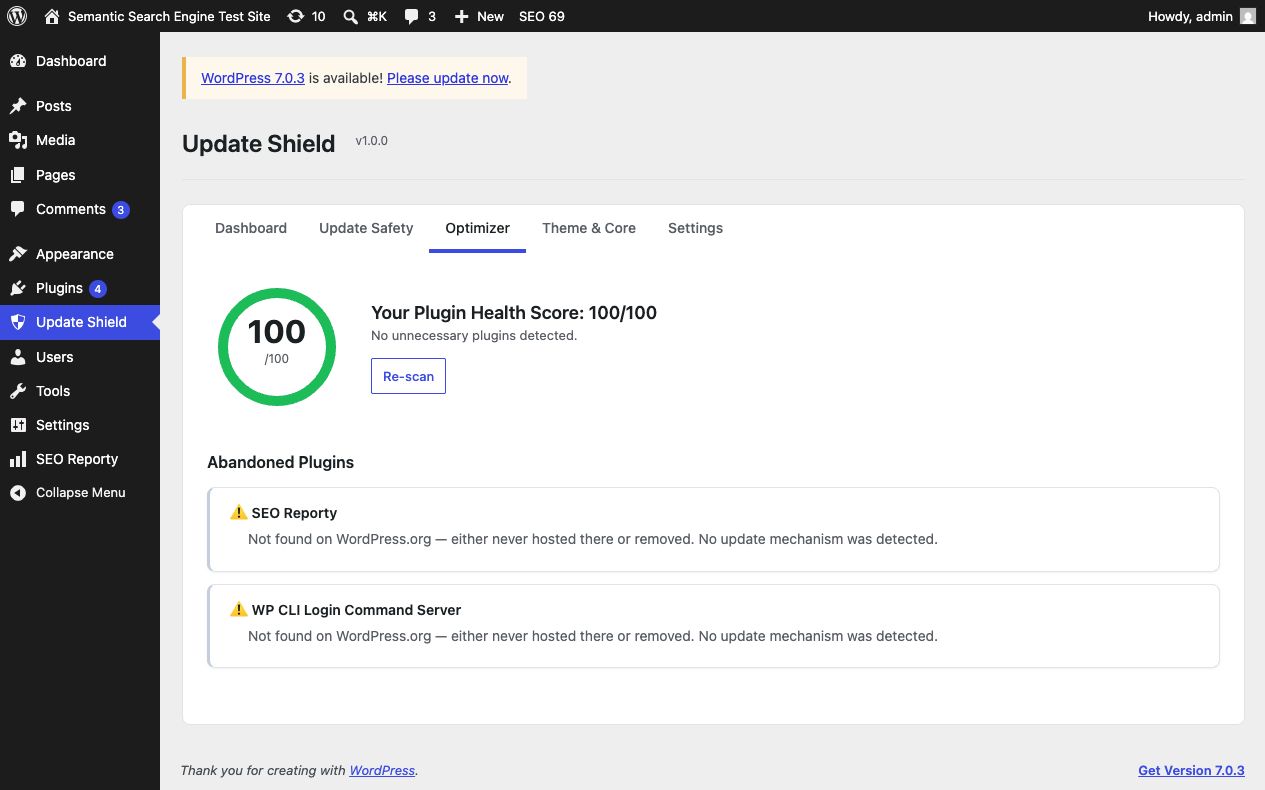
Plugin Stack Optimizer
Find plugins you may not need: duplicate plugins doing the same job, plugins you can replace with a short code snippet, and plugins that appear unused. Every suggestion is review-first — nothing is changed or deactivated automatically.
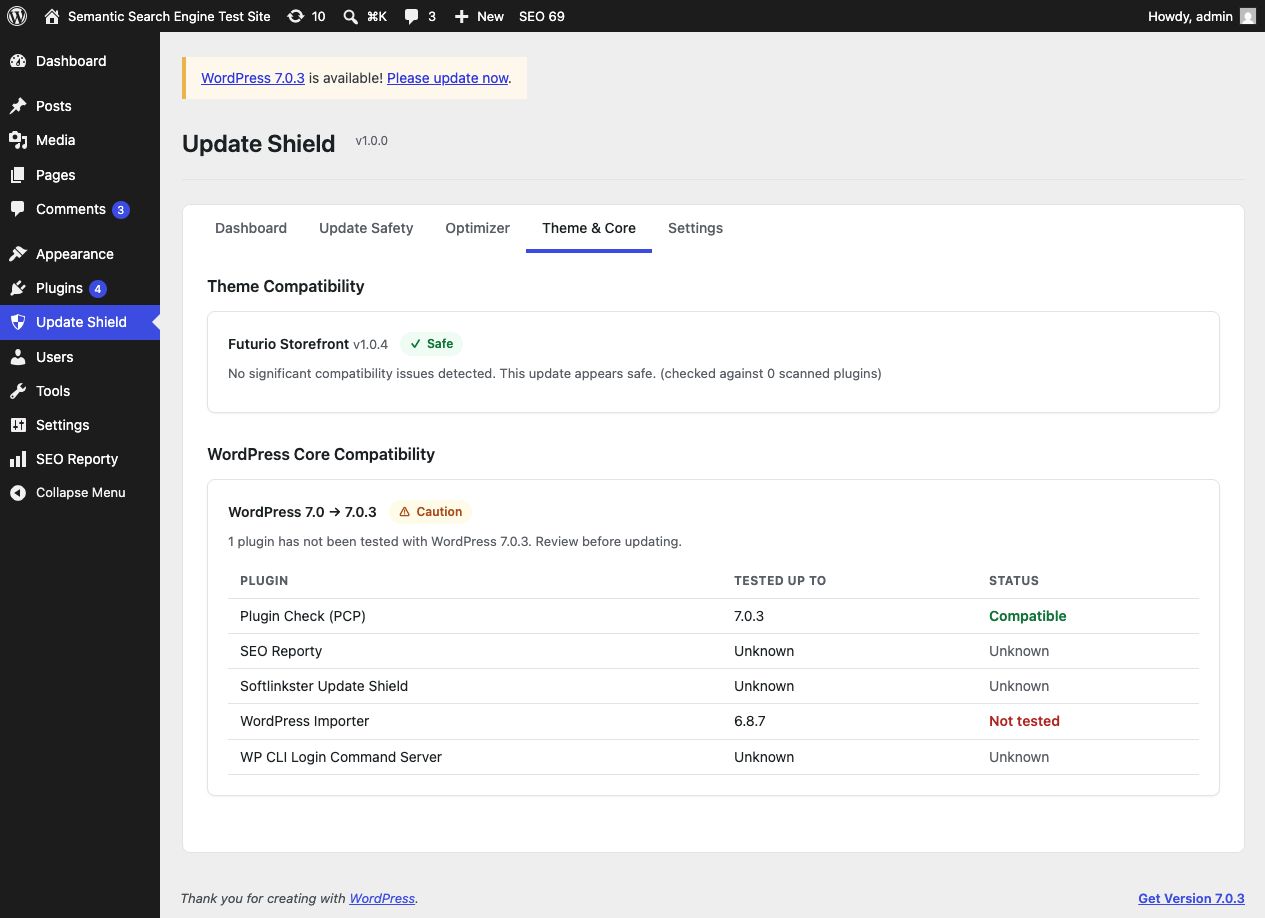
Theme & Core Compatibility
Check whether your theme and WordPress core updates are compatible with your current plugin setup.
Local Compatibility Intelligence
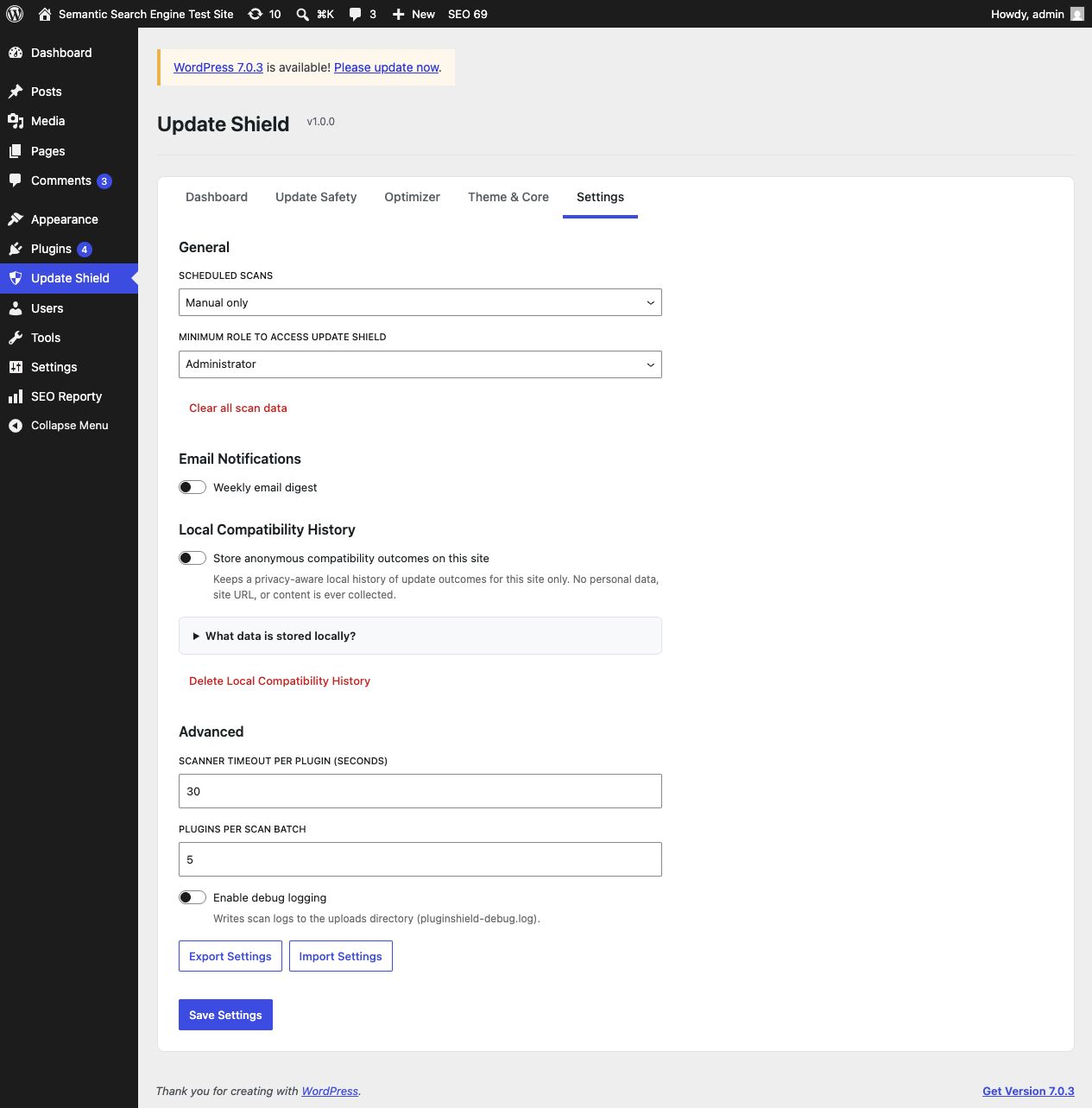
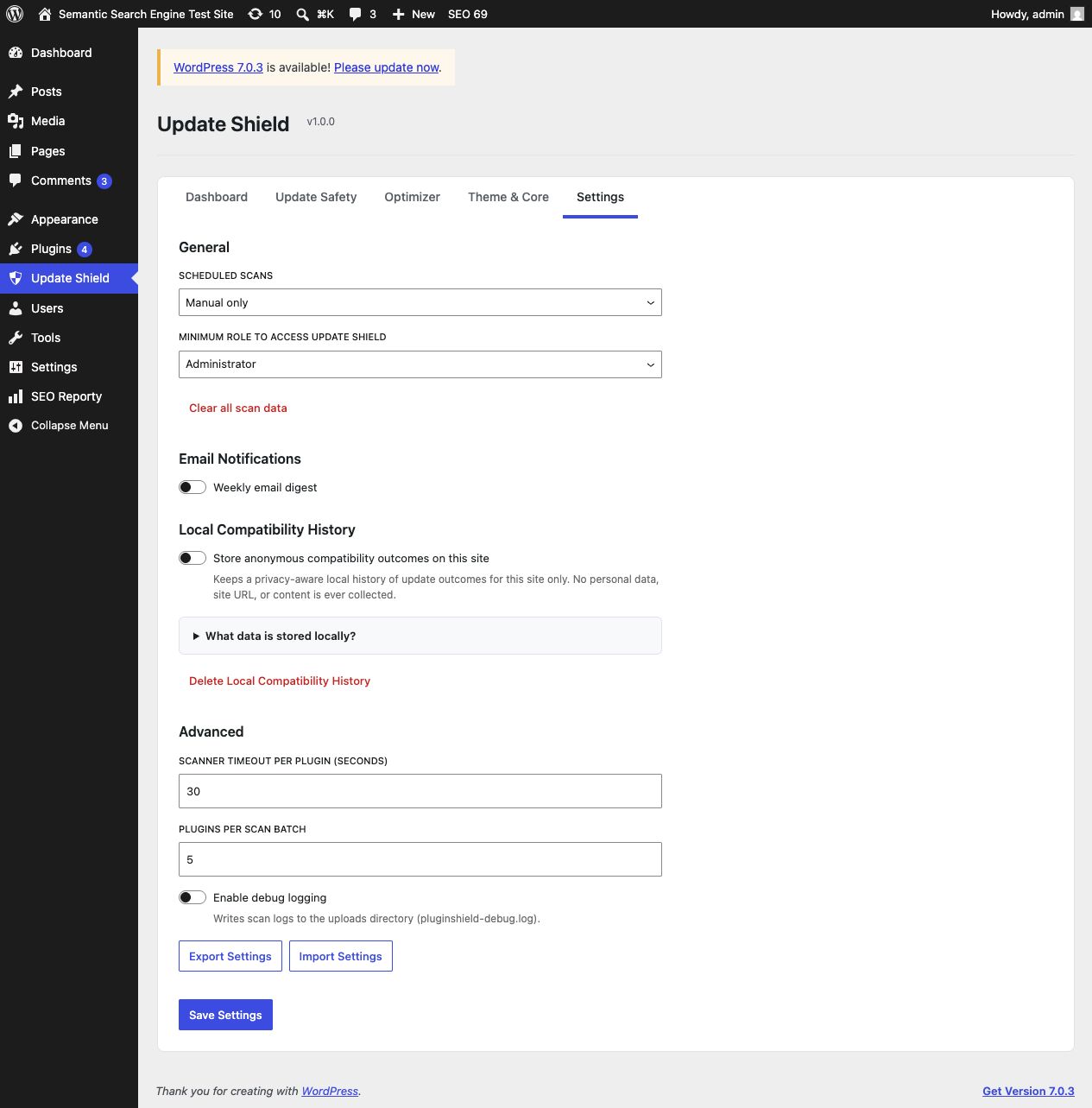
Softlinkster Update Shield can store anonymized update outcomes locally on your site when you opt in. That gives you a privacy-aware compatibility history for future update decisions.
Built for plugin-heavy WordPress sites: WooCommerce stores, Elementor and Divi sites, membership sites, agency-maintained sites, blogs, and business websites.
Low overhead by design: Softlinkster Update Shield adds no frontend scripts and runs in wp-admin only. Deep scans run only when you trigger them, while scheduled scans and email digests stay optional.
Screenshots
Installation
- Upload the
softlinkster-update-shieldfolder to/wp-content/plugins/ - Activate through the ‘Plugins’ menu in WordPress
- Go to ‘Update Shield’ in the admin sidebar
- Click ‘Run First Check’ to scan your updates
FAQ
-
Does Softlinkster Update Shield slow down my site?
-
No. Softlinkster Update Shield runs ONLY in the WordPress admin and ONLY when you trigger a scan. It adds zero scripts or styles to your frontend. Your visitors will never know it’s there.
-
How accurate are the risk predictions?
-
Softlinkster Update Shield uses multiple detection layers: hook collision analysis, PHP compatibility checking, JavaScript/CSS conflict detection, database schema analysis, and local compatibility history. Critical signals (PHP incompatibility, class name collisions) are deterministic — they will always catch guaranteed fatal errors. Other signals indicate potential issues that may or may not be visible.
Because the analysis reads code rather than running your site, it cannot detect problems that only appear at runtime — logic changes, JavaScript errors, layout or styling regressions, or failed data migrations. Treat a green score as “no known fatal conflicts found”, not as a guarantee that nothing will change. For high-traffic or business-critical sites, test major updates on a staging copy as well.
-
How reliable is the “unused plugin” detection?
-
Shortcode usage is checked against post content (all statuses), page-builder data such as Elementor, Divi, Beaver Builder, SiteOrigin, Bricks and WPBakery, widget and site options, and your active theme’s templates. Widgets are matched to the plugin that actually registered them.
Even so, a plugin can be used in ways static analysis cannot see — for example from custom code, a third-party integration, or a builder we do not yet recognise. For that reason the optimizer only offers one-click deactivation for findings it could fully verify; anything less certain is marked for your review. Always confirm a plugin is genuinely unused before deactivating it.
-
Does it work with WooCommerce?
-
Yes for WooCommerce itself and many WordPress.org-hosted extensions. Softlinkster Update Shield can analyze pending versions that are downloadable from WordPress.org. Commercial or privately distributed plugins may still appear in your stack, but pre-update code comparison may be limited when their update packages are not publicly downloadable.
-
What data does the compatibility history feature store?
-
When opted in, Softlinkster Update Shield stores only anonymized compatibility data on your own site: plugin names and versions, PHP version, WordPress version, and whether the update succeeded or failed. No personal data, site URLs, content, or customer data is collected. This is opt-in and off by default.
-
Does Softlinkster Update Shield contact remote services?
-
Yes. When you run compatibility checks, Softlinkster Update Shield may contact the official WordPress.org Plugin API and download publicly available plugin packages from WordPress.org for analysis. Service domains:
api.wordpress.organddownloads.wordpress.org. WordPress.org privacy policy: https://wordpress.org/about/privacy/. It does not send your site content to WordPress.org. -
Where can I get support?
-
Use https://mrkhuran.com/contact for support. Once the plugin is live on WordPress.org, you can also use its support forum there.
-
Where is the human-readable source code?
-
The production assets live in
build/. The corresponding uncompiled source is included insrc/, with build configuration inpackage.jsonandcomposer.json, so the packaged plugin can be reviewed and rebuilt without needing a separate source repository. -
Can I use it with Elementor / Divi / Bricks?
-
Yes. Page builder plugins are scanned the same way as any other plugin. They often have the most hooks, making Softlinkster Update Shield especially useful for detecting builder-related conflicts.
-
What happens if Softlinkster Update Shield says an update is risky?
-
You’ll see exactly WHY it’s risky — which specific hook conflicts exist, which PHP functions are incompatible, or what other users experienced. You can then decide to wait for a fix, contact the plugin developer, or proceed at your own risk.
Reviews

Contributors and Developers
“Softlinkster Update Shield” is open source software. The following people have contributed to this plugin.
Contributors
Translate “Softlinkster Update Shield” into your language.
Interested in development?
Browse the code, check out the SVN repository, or subscribe to the development log by RSS.
Change Log
1.0.2
- Improved WordPress.org plugin description, tags, and screenshot captions for clearer positioning and better search relevance
- Updated support and plugin links to live
mrkhuran.comURLs
1.0.1
- Unused-plugin detection now checks page-builder content (Elementor, Divi, Beaver Builder, SiteOrigin, Bricks, WPBakery, Cornerstone, Oxygen, Themify), every stored option, term descriptions and term meta, and active theme templates, in addition to post content
- Shortcode usage is now checked across all renderable post statuses instead of published posts only
- Added the
pluginshield_shortcode_in_usefilter so sites storing content in custom tables or unrecognised builders can prevent a false “unused” result - Premium and custom plugins are no longer reported as abandoned when another updater is supplying their updates, and the wording no longer implies a plugin is unmaintained
- Duplicate detection no longer treats Google Site Kit as a duplicate analytics plugin, corrected the Gravity Forms slug, and now acknowledges that some sites run two similar plugins deliberately
- Widgets are now matched to the plugin that registered them, instead of guessing from the plugin slug
- Removed a scan size cap that could make results depend on file order, so repeat scans are consistent
- One-click deactivation is now offered only for findings the optimizer could fully verify; less certain findings are marked for review
- Added safety notes to snippet suggestions that can affect proxied sites, REST API access, SVG sanitization, and theme typography
- Added an automated unit test suite covering the risk scoring engine and PHP compatibility scanner
- Clarified in the documentation what static analysis can and cannot detect
1.0.0
- Initial release
- Pre-update safety check with 4 detection layers
- Plugin stack optimizer with unused, duplicate, and snippet replacement detection
- Abandoned plugin detection with alternative suggestions
- Theme and WordPress core compatibility checking
- Local opt-in compatibility history
- Weekly email digest notifications
- Modern React-based admin interface
- Improved WordPress coding standards and submission readiness